CapCut templates
Many trends spread as templates: find the right one, drop your photos in.
October 2026
Pick the trend, add a clear photo of yourself (or one of each person), and the clip is ready a few minutes later. Then post the trend on TikTok with its sound and the AI-generated label on. An effect is 5 seconds for 4 credits.
Your photo
One photo is enough: solo or the two of you.
Effect
Video
This video: 4 credits. Ready in about 2 to 5 minutes; failed generations return your credits. View pricing
The trends
Updated
Most AI trends on TikTok this fall start the same way: an ordinary photo goes in, and a short clip comes out with that person in a scene they never stood in. Here is what each one looks like, the photos you need, and where people are posting it.
You on a wooden pier at golden hour as warm rain starts, singing softly to the camera like a music video. People post it with “Raindance” by Dave and Tems, a UK Number 1 in January 2026 (Official Charts); see the tutorials. You need one photo, or one photo of each person. Make it: Raindance AI trend.
Three golden-hour shots: a dance on an empty forecourt, a close selfie, a step out of a black luxury car. It grew out of a real dance clip filmed at a gas station (posts). You need one full-length or waist-up photo, or one photo of each person. Make it: gas station AI trend.
On a foggy street at dusk, one of two people turns into a zombie but keeps the same face, and the other holds them in a long hug instead of running. No gore. Couples and families post it (posts). You need two people: one photo of each person, or one of both. Make it: AI zombie trend.
It is October, so costume clips are in season. At a house party with carved pumpkins, a swirl of sparkles turns your clothes into a homemade costume: a witch, a vampire, a skeleton or a pumpkin. No film or brand characters. A single photo is enough. Make it: AI Halloween costume.
“What would I have looked like in the 80s?” is a question people type into ChatGPT for a still (posts). This one moves: a 1985 VHS home video of you with big 80s hair in a sunny backyard, waving at the camcorder. A single photo works. Make it: 80s AI video.
You today and you as a child inside a white-framed Polaroid, turning to share a long hug. AI hugs with younger selves and lost loved ones have circulated since 2024 (Dexerto). You need a photo of you now and one from childhood. Make it: hug your younger self, or the gentler memorial hug for someone you lost.
Two people in a bright orange booth with one hanging mic, rapping the way Quavo and Takeoff did on COLORS in 2022. The AI version took off from September 16, 2026 (Know Your Meme, Complex). You need one photo of each person, or one of both, on the Rap video tab: Hotel Lobby AI. Not affiliated with Quavo, Takeoff or COLORS.
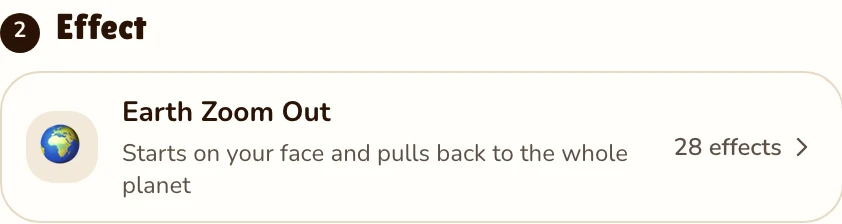
The camera starts on your face and pulls back through the clouds until the whole planet hangs in space: a hook in use since 2025, often reversed as a transition (posts). You need one photo, solo or the two of you. Make it: Earth zoom out.
You dancing head to toe in a neon-lit studio, footwork, a spin and a final pose, from just a photo of you. Make it: AI dance video. The same photo fills a court with copies of you in an AI clone video, and there are 28 AI video effects in all.
Four steps
Each of the trends above is an effect in the studio. Raindance is already selected here; open the effect list for the others.
Effects → Effect
RapVideo editor · View full screenshot ↗
A clear, front-facing photo of yourself. For two people, add two photos, or one photo of both.
Effects → Photos
RapVideo editor · View full screenshot ↗
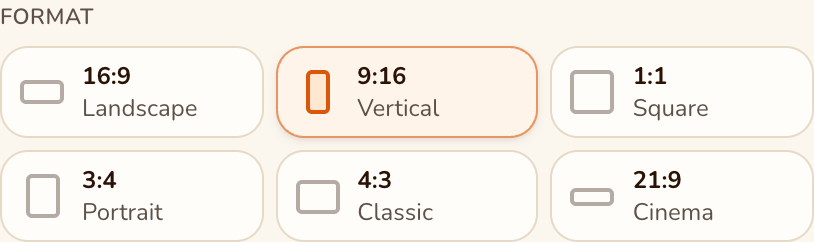
9:16 is already set, the shape of the For You feed and Reels.
Video settings → Format
RapVideo editor · View full screenshot ↗
The provider estimates up to about 5 minutes. Download the MP4, upload it to TikTok, add the sound and turn on the AI-generated label.
After rendering
Which app?
Many trends spread as templates: find the right one, drop your photos in.
Some make one trend each; others want a prompt and a model picked by you.
TikTok’s own AI Alive animates a single photo in Stories and labels it AI-generated (newsroom, May 2025).
Runs in your browser on a phone or laptop. Nothing to install or write: each effect already describes the place, the action and the camera.
| Trend | You need | Credits |
|---|---|---|
| Raindance, gas station dance, Earth zoom out | One photo, or one per person | 4 for 5 s |
| Halloween costume, 80s camcorder, AI dance | One photo | 4 for 5 s |
| Zombie hug, hug your younger self | Two photos, or one of both | 4 for 5 s |
| Hotel Lobby rap | Two people | 6 for 12 s (Wan 3.0, 480p) |
The effects for these trends are 720p on Seedance 2.0 Mini, the same for one photo or two; longer or sharper clips cost more. No free video: packs start at 10 credits for $9.99, and a failed render gives its credits back. See RapVideo pricing.
Watch
Videos and posts from creators and other tools, each credited and linked to the original. Nothing loads from YouTube until you press play.
Pick the trend here, add a clear photo of yourself or one of each person, and render. A few minutes later, download the clip, upload it, add the trend’s sound and switch on the AI-generated label.
There is no single one for all the trends: CapCut templates, various AI video apps, and AI Alive for photos in Stories. Here nothing is installed; each trend runs in the browser from your own photos.
A video model takes the face from an ordinary photo and places it in a scene that is already written: the golden-hour pier, the gas station forecourt, the orange booth. You add the photo; the effect brings the scene and the camera move.
Yes. This page works in a phone or computer browser. Add a photo, pick an effect, and the AI renders a short clip with your face.
Upload the vertical MP4, choose the song from the sound library and lower the clip’s own audio. No chart song is ever inside an effect clip: each effect writes its own original soundtrack, which you can keep or mute.
Use the Polaroid Hug: a photo of you today and a childhood photo, and the two of you hug inside an instant-photo frame. An old print photographed with a phone works. Read TikTok’s rules on minors before posting a childhood face.
It is not free: AI video costs real money to render. An effect is 4 credits for 5 seconds; a Hotel Lobby rap is 6 for 12. Pack credits never expire. The provider estimates up to about 5 minutes for an effect.
For realistic AI video on TikTok, yes. Turn on AI-generated content under More options before you post; TikTok may also add a label on its own.
Hug, Memorial Hug, Slow Dance, Polaroid Hug and Zombie; every other effect works from one photo of you, or with a friend too. The Hotel Lobby rap always has two performers.
With their permission, or a family photo you have the right to use. Please no strangers, celebrities or other public figures.
Your turn
One photo, 5 seconds, 4 credits.

