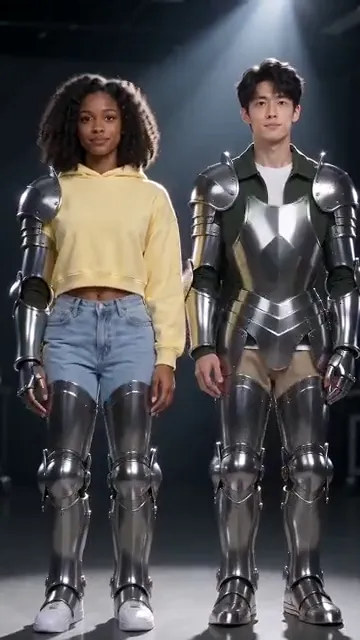
Camera moves
Earth Zoom Out flies from your face to the planet, Bullet Time orbits a frozen jump, Northern Lights circles you.
From one photo
Add a photo of you, or of the two of you, pick one of 54 AI video effects and get a 5-second clip: Earth Zoom Out, Money Rain, Dance and more.
Your photo
One photo is enough: solo or the two of you.
Effect
Video
This video: 4 credits. Ready in about 2 to 5 minutes; failed generations return your credits. View pricing
What it is
Updated : added Dame Hombro and Tiny Desk, the first effects for three to five people, and iPhone Kupi Dance, now 54 effects.
An AI video effect turns a still photo into a short clip where one big thing happens: the camera flies out to space, money rains down, chrome spreads over you. Upload a photo, pick an effect, press the button. The provider estimates up to about 5 minutes, then you download an MP4 with no watermark.
48 of the AI video effects run on one photo of you, or of you and a friend; separate pictures of each person work too. The other 6 need two people. Each keeps the faces from the photo and brings its own generated sound; no copyrighted song is added.
How it works
Clear, front-facing, well lit. Add a second photo to put two people side by side.
Effects → Photos
RapVideo editor · View full screenshot ↗
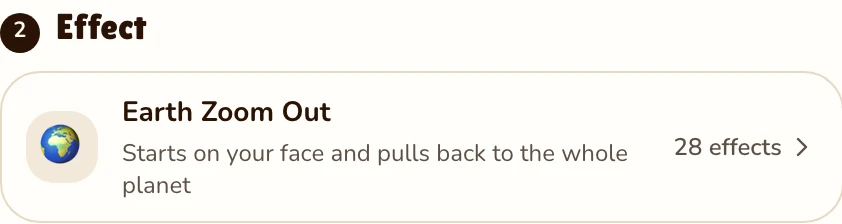
The first one is already picked; the picker holds all 54.
Effects → Effect
RapVideo editor · View full screenshot ↗
The provider estimates up to about 5 minutes. Then the clip is ready to download.
After rendering
The effects
Earth Zoom Out flies from your face to the planet, Bullet Time orbits a frozen jump, Northern Lights circles you.
Money Rain in a marble bank lobby, Red Carpet flashes, Fireworks over a night beach, Live Concert on a stadium stage.
Turning Metal (chrome), Disintegration (glowing dust), Outfit Switch, Comic Book, Angel Wings and Levitation.
Hug, Memorial Hug, Polaroid Hug, Slow Dance and Future Baby, made for two; Bring to Life, for one old portrait that blinks and smiles.
Raindance, Zombie, Gas Station, Car Jump, Fan Outfit Change, Burning Bridges Party and Bulin 47 Freestyle, from the autumn 2026 TikTok trends, plus Dance, Halloween Costume and 80s Camcorder.
Pizza Rain, Clones, Giants and Bald Filter, a prank clip kindly meant.
Apart from the original freestyle in Bulin 47 Freestyle, none of these clips has a rap. The rap tab turns the same photos into a rapping duo: try an AI rap battle generator, a diss track generator or a birthday rap song.
Watch
Videos and posts from creators and other tools, each credited and linked to the original. Nothing loads from YouTube until you press play.
Add a photo, solo or the two of you, or a photo of each person. Choose Dance or any other and press the button; the provider estimates up to about 5 minutes.
Earth Zoom Out, Hug, Memorial Hug, Bring to Life, Slow Dance, Polaroid Hug, Future Baby, Money Rain, Red Carpet, Fireworks, Live Concert, Turning Metal, Disintegration, Levitation, Angel Wings, Northern Lights, Bullet Time, Clones, Outfit Switch, Giants, Comic Book, Raindance, Zombie, Gas Station, Car Jump, Fan Outfit Change, Burning Bridges Party, Bulin 47 Freestyle, Window Peeper, Bad Times, Dime Dime Baby, Dame Hombro, Tiny Desk, iPhone Kupi Dance, Toc Toc Dance, First Time in a Fancy Cafe, Chipmunks Dance, Charme Dance, Drawing to Life, Bicep Heart, Flamingo Float, Epic Dunk, Sticky Bubblegum, Give It All, Wassup in a Minute, Gangsta's Paradise, Stormzy Shut Up, Christmas Dance, I Love the Smiths, Dance, Halloween Costume, Bald Filter, 80s Camcorder and Pizza Rain.
Added in October 2026: Memorial Hug, Bring to Life, Slow Dance, Raindance, Zombie, Gas Station, Dance, Halloween Costume, Bald Filter, 80s Camcorder and Polaroid Hug (hug your younger self).
Yes, for 48 of the 54. The other 6 need two people: a second picture, or a picture of both.
5 seconds at 720p for 4 credits on Seedance 2.0 Mini, the same with two photos. Longer or sharper clips cost more. The only free part of RapVideo is one 2-second watermarked preview per Google account, of the default Hotel Lobby video, the Bulin 47 Freestyle or Tiny Desk; everything else is paid with credits. Packs start at 10 credits for $9.99, and failed renders are refunded.
Yes. In the rap tab, pick a stage and a sound, and you both rap.
Guides
Try one
5 seconds, 4 credits. Then make it rap.
