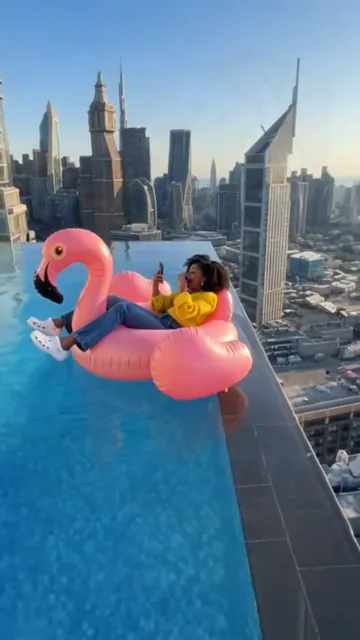
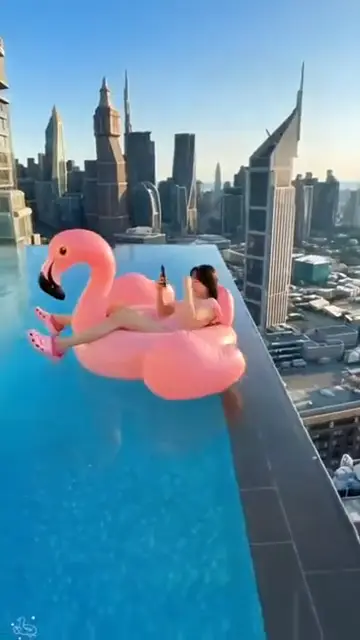
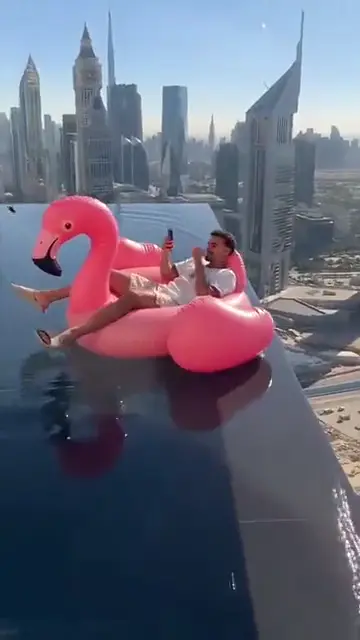
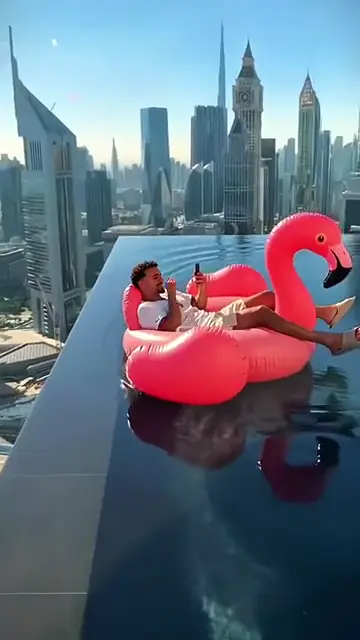
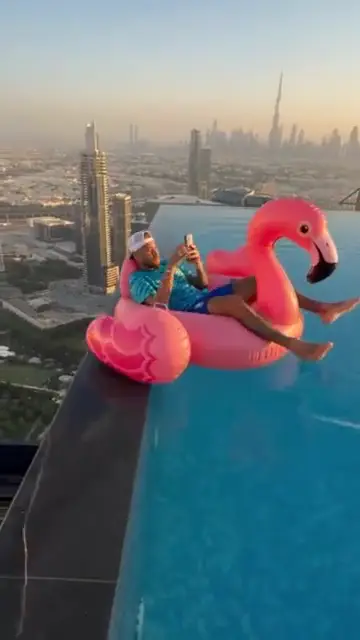
The rooftop pool
A bright blue infinity pool on top of a skyscraper, towers and sky all around.
TikTok trend effect
Flamingo float AI puts one photo of you on a pink flamingo float high above the city: a hand reaches in, you push off, and the float drifts to the far edge of the infinity pool. 6 seconds for 4 credits at 480p, 6 at 720p or 12 at 1080p.
Your photo
One clear photo of you, facing the camera, full-body if you have it. You lie on the pink flamingo float, push off and drift to the far edge of a rooftop pool; the sound comes with it.
Effect
Video
This video: 4 credits. Ready in about 5 to 15 minutes; failed generations return your credits. View pricing
Answer first
Updated : new page.
Flamingo float AI is an AI video of you on a pink flamingo pool float in a rooftop infinity pool, with a city skyline far below. A hand reaches in from off camera, you push yourself away from the edge, and the float glides all the way to the opposite edge, the one with nothing behind it. Some sites call it the "Hey Bro Thank You Bro" trend.
It is a CapCut template trend: on TikTok the first tutorials we found are from 3 November 2026, and new ones were posted every few hours on 4 and 5 November, under captions like "AI effect person on flamingo floatie". On this page you add one photo, and the video model follows the template's result move by move with you on the float, in your own clothes, with its sound.
RapVideo.ai has no connection to the template’s makers, the creators below, TikTok or CapCut.
No. TikTok tutorials open the CapCut template and import a photo. Here you do it in the browser: one photo in, a flamingo float AI MP4 out, with the sound on it.
No. The pool, the float and the drift come from an AI template; no one was filmed floating to the edge of a skyscraper. Label it as AI when you post it.
On TikTok
Flamingo float results from TikTok, credited to the creators who posted them: tap a name to open the post.
From TikTok, credited to the creators. Tap a name to see the post.
Three steps
One clear photo, facing the camera; full-body is best, since you lie on the float from head to toe. Your clothes in the photo are the clothes on the float.
Effects → Photos
RapVideo editor · View full screenshot ↗
The editor opens on the Flamingo Float effect, 6 seconds in 9:16 on Wan 3.0. Pick 480p, 720p or 1080p.
Effects → Flamingo Float
RapVideo editor · View full screenshot ↗
The video model estimates about 5 to 15 minutes. Save the MP4, sound included, and post your flamingo float AI video.
After rendering
Inside the clip
A bright blue infinity pool on top of a skyscraper, towers and sky all around.
You lie back on a big pink flamingo float at the near edge.
A hand reaches in from off camera, and you turn to it.
One push, and the float glides all the way to the far edge.
We watched the template's result every half second. Your 6 seconds keep its camera and the float's path; you are the one on the float:
| Seconds | What happens |
|---|---|
| 0 to 1.5 | You lie back on a big pink flamingo float at the near edge of a rooftop infinity pool, the city far below. |
| 1.5 to 3 | A hand reaches in from off camera, and you turn to look at it. |
| 3 to 3.5 | You push off the edge of the pool with one arm. |
| 3.5 to 6 | The float drifts all the way across the pool to the far infinity edge, smaller and smaller. |
| This clip | |
|---|---|
| Photos | One, of you |
| Price | 6 seconds for 4 credits at 480p, 6 at 720p or 12 at 1080p; 9:16 only |
| Kept from your photo | Your face, hair and outfit |
| From the template | The rooftop pool, the float, the hand, the camera and the drift |
| Sound | The template’s sound, 6 seconds, added to the finished clip |
| Tested | Rendered by us once, on 5 November 2026, from a photo of an AI-made woman at 480p. She took the float in the first frame and kept her face, curly hair and yellow top all the way; the hand came in, she pushed off and drifted to the far edge on the beat of the template. The clip at the top is that render |
More from one photo: bicep heart AI, charme dance AI, first time in a fancy cafe or all 50 AI video effects.
A CapCut template trend from November 2026: an AI video of you on a pink flamingo float in a rooftop infinity pool: a hand reaches in, you push off and drift to the far edge.
Some sites use that name for the same flamingo float scene: the hand, the push and the drift to the far edge.
Add one clear photo of you on RapVideo.ai, keep the Flamingo Float effect selected and press Make the effect. Download the MP4; the sound is already on it.
RapVideo.ai, on this page: one photo, a 6-second 9:16 MP4 with the sound, made in the browser on a phone or computer, no app needed. TikTok tutorials use a CapCut template.
6 seconds for 4 credits at 480p, 6 at 720p or 12 at 1080p on Wan 3.0, always 6 seconds in 9:16. Packs start at 10 credits for $9.99, and a failed render gives its credits back.
No. The only free part of RapVideo is one 2-second watermarked preview per Google account, of the default Hotel Lobby video, the Bulin 47 Freestyle or Tiny Desk; everything else is paid with credits.
One push too many
6 seconds on a pink flamingo above the city, sound on, from 4 credits.
