The same shape
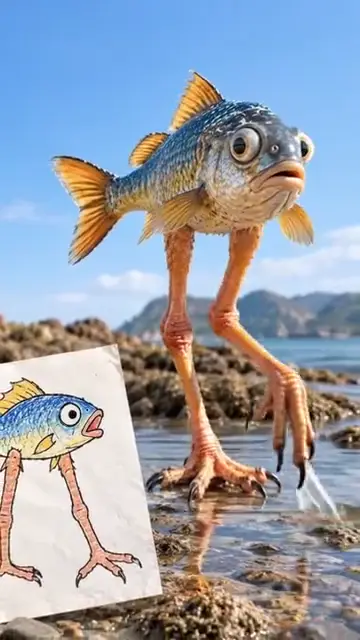
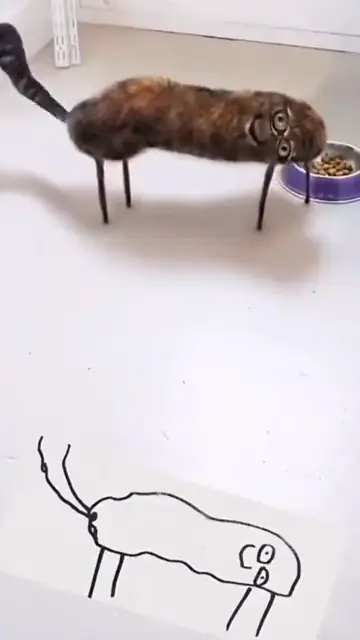
Square bodies, stick legs, one eye or six arms: the drawn shape stays, however odd.
TikTok trend effect
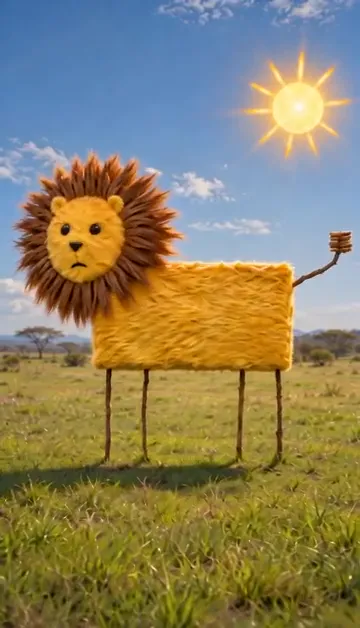
Kids drawing to life AI turns a photo of your child's drawing into a short real video: the lion with a square body and stick legs walks across a real savanna, still square, still on sticks. 5 seconds at 720p for 4 credits.
Your drawing
One photo of the drawing, flat and well lit, the whole page in view. Only the drawing, no photo of the child.
Effect
Video
This video: 4 credits. Ready in about 2 to 5 minutes; failed generations return your credits. View pricing
Answer first
Updated : new page.
Kids drawing to life AI takes a photo of a child’s drawing and makes a short video of what is drawn as if it were real: real fur, real light, a real place, and the exact odd shape the child drew. A crayon lion with a box body stays a box, a one-eyed monster keeps its one eye, and that is the joke the whole trend runs on.
The trend took off on TikTok at the end of October 2026: a post of children holding up their drawings next to the AI versions had 7.8 million plays on 4 November 2026 (it credits the drawings and clips to @_penguin8__), and accounts kept posting their own. Here you add one photo of the drawing. The AI first draws it as one real photo that keeps its shape, then the video model brings that photo to life for 5 seconds with sound.
Only the drawing goes in: no photo of your child is needed, and none is shown here.
No. Tools such as Meta’s Animated Drawings move the drawing itself, flat and in its own crayon lines, and are built for figures with arms, legs and a head. Kids drawing to life AI makes it real: real materials in a real setting, with the drawn shape kept. More in how to bring kids’ drawings to life.
No. It runs in the browser on a phone or a computer: take a photo of the drawing, upload it, and download the MP4.
On TikTok
Drawing to life videos from TikTok, credited to their creators: tap a name to open the post. Many versions film the children who drew; these show only the drawings.
From TikTok, credited to the creators. Tap a name to see the post.
Three steps
Lay the paper flat in good light and photograph it from straight above, the whole drawing in view. Upload that one photo.
Effects → Photos
RapVideo editor · View full screenshot ↗
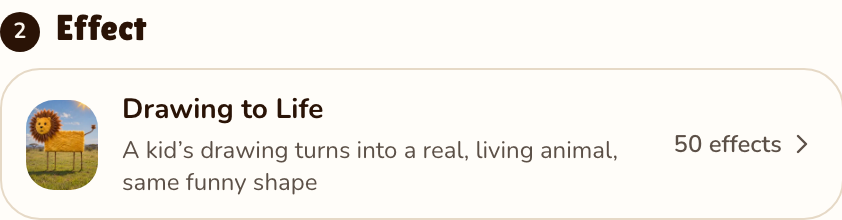
The editor opens on the Drawing to Life effect. 5 seconds is the default; longer clips and other formats are there too.
Effects → Drawing to Life
RapVideo editor · View full screenshot ↗
The AI draws the real version first, then the video model estimates about 5 to 15 minutes. Save the MP4 and put it next to the drawing.
After rendering
Inside the clip
Square bodies, stick legs, one eye or six arms: the drawn shape stays, however odd.
Crayon becomes real fur, skin, scales, metal or fabric, in the drawing’s colors.
A savanna for a lion, a street for a car, a garden for a dog; a drawn sun or house becomes the setting.
It looks around, blinks, wobbles toward the camera and makes a small sound that fits it.
| This clip | |
|---|---|
| Photos | One, of the drawing |
| Price | 5 seconds at 720p for 4 credits; longer or sharper clips cost more, and the price shows before you render |
| Kept from the drawing | The shape, the proportions, the colors and the drawn setting |
| Made real | The materials, the light and the place |
| Sound | Natural sounds of the place and the creature under a light original tune |
| Tested | Tested by us on 4 November 2026 with our own crayon lion, a square yellow body on four stick legs, at 480p. Sent straight to the video model, the drawing became an ordinary lion cub. With the real-picture step first, the lion kept its square furry body, stick legs and spiky mane and walked up to the camera on a sunny savanna. That two-step version is the one on this page |
Free and paid ways to do it, and how to film the trend: how to bring kids’ drawings to life. Where the trend came from: the kids drawing to life trend. More from one photo: animate old photos or all 50 AI video effects.
An AI video that turns a photo of a child’s drawing into a real, living version of what is drawn, keeping the drawing’s odd shape and colors, in a real place that suits it.
Photograph the drawing flat, upload it on RapVideo.ai with the Drawing to Life effect selected and press Make the effect. Download the MP4 and share it next to the drawing.
That is what it is built for: the drawing is first made into one real photo that keeps its shape, then that photo comes alive. In our test a box-shaped lion stayed a box on stick legs. Results vary from drawing to drawing.
Meta’s Animated Drawings demo moves a drawn figure in its own flat style; it does not make it real. Here, 5 seconds at 720p for 4 credits. The only free part of RapVideo is one 2-second watermarked preview per Google account, of the default Hotel Lobby video, the Bulin 47 Freestyle or Tiny Desk; everything else is paid with credits.
No. Only the drawing goes in. Keep children’s faces out of the photo of the drawing.
Animals, monsters, cars, people, toys and houses all work. One main thing per drawing, with clear outlines and colors, gives the best result.
5 seconds by default, 5, 8, 10, 12 or 15 seconds possible, in 9:16 or another format you pick.
Straight off the fridge
5 seconds of the drawing as a real, living thing, from 4 credits.
