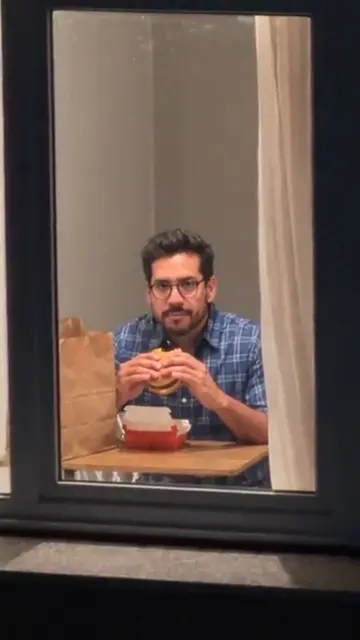
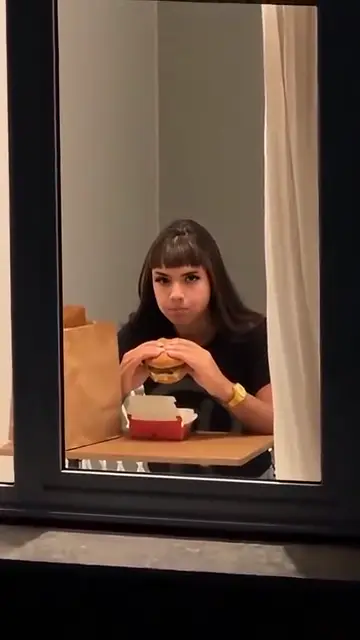
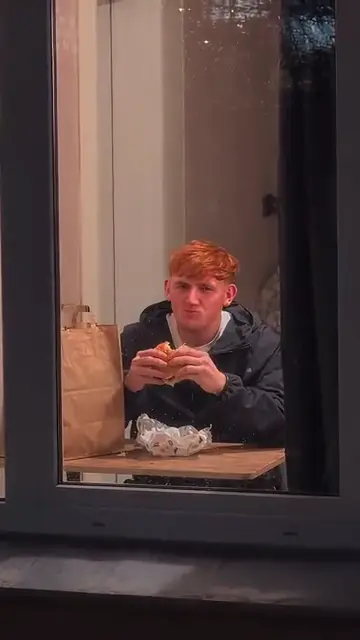
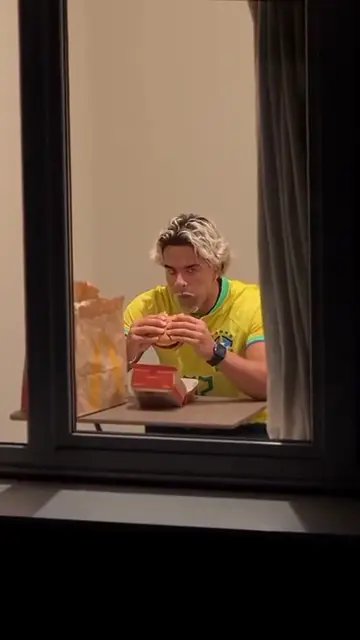
The lit window
A dark apartment block at night and one warm window, with the camera creeping toward that window.
TikTok trend effect
The window peeper filter is the TikTok trend where the camera finds you in a lit window at night, you freeze mid-bite, stare into the lens and pull the curtain shut. One photo puts you in the window: 14 seconds for 7 credits at 480p, 12 at 720p or 24 at 1080p.
Your photo
One clear photo of you, facing the camera, waist-up if you have it. You sit at the window, stare and pull the curtain; the room and the trend sound come with it.
Effect
Video
This video: 7 credits. Ready in about 5 to 15 minutes; failed generations return your credits. View pricing
Answer first
Updated : new page.
The window peeper filter is a 14-second TikTok video filmed as if from outside an apartment block at night. The camera pushes in on one lit window, the person inside is eating a burger, freezes mid-bite, stares straight into the lens for far too long, then gets up and pulls the curtain. It took off on 20 October 2026 with a post by @therealrodentspawn and spread as a CapCut template under #windowpeeper, with captions like "Try this filter yourself".
It is not a camera filter. On TikTok it is a CapCut template that swaps one photo into fixed footage. Here it is an AI video effect: you add one photo, the video model follows a remix of the template for the push-in, the bite, the stare and the curtain, and you play the person at the table. Your face comes from your photo, your outfit too, and the trend sound goes on the finished clip.
In Google, "window peeper" also means a Halloween window prop or a peeping Tom. This page is about the staged TikTok joke: the peeper is the camera, and the person in the window is you. RapVideo has no connection to TikTok, CapCut or the creators of the template.
Not an official one. Searching TikTok on 22 October 2026 showed the clips and many tutorials, all pointing to user-made CapCut templates, not to an effect you open on your camera. A CapCut template uses its creator’s footage and length. The window peeper filter on this page renders a new 14-second video of you from your photo, in the scene you pick.
On TikTok
Window peeper remixes from TikTok, credited to their creators: tap a name to open the post. Most remixes use famous faces; these three do not.
From TikTok, credited to the creators. Tap a name to see the post.
Three steps
One clear photo of you, facing the camera. Waist-up or full-body works best: you stand up and pull the window curtain at the end.
Effects → Photos
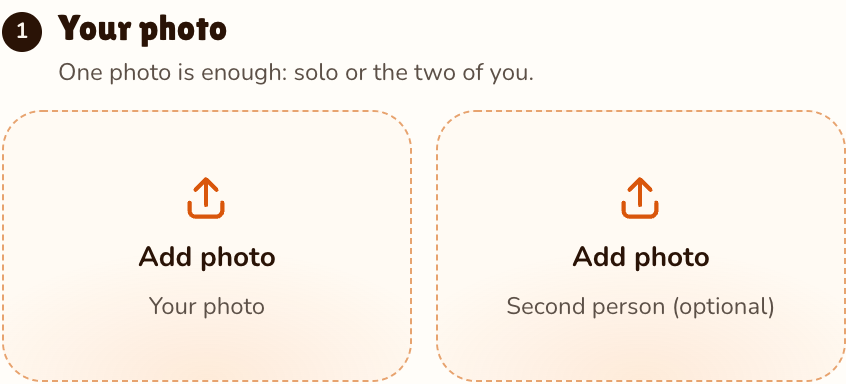
RapVideo editor · View full screenshot ↗
It opens on Window Peeper with the burger, 14 seconds in 9:16. Tap Pizza, Hot dog or Taco to change what you eat; the stare and the curtain stay.
Effects → Window Peeper
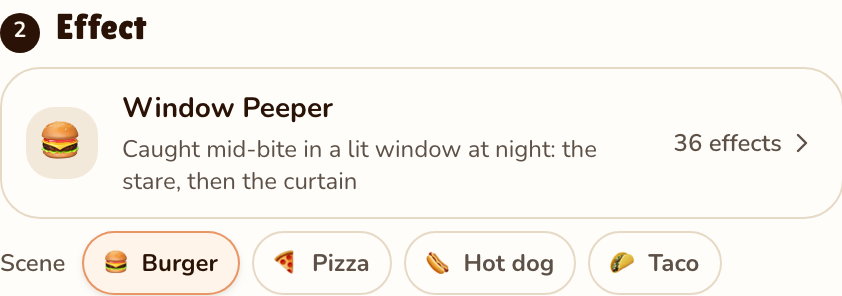
RapVideo editor · View full screenshot ↗
The video model estimates about 5 to 15 minutes. Save the MP4, trend sound included, and post it.
After rendering
Inside the clip
A dark apartment block at night and one warm window, with the camera creeping toward that window.
You at a table by the window, eating with both hands and not noticing anyone outside the window.
Five long seconds of chewing and looking straight into the lens, no smile, no blink.
You stand, reach for the curtain and pull it across the window. The trend sound runs under all of it.
All 4 window peeper filter scenes keep the lit window, the stare and the curtain. Only the food in your hands changes, because the clip’s hands and timing stay the same:
| Scene | What you eat |
|---|---|
| Burger | The original: a burger in both hands and an open red box on the table |
| Pizza | A cheesy slice, point first, with an open pizza box on the table |
| Hot dog | A hot dog with a line of mustard, in a red and white paper tray |
| Taco | A crunchy taco, with a second one waiting in the tray |
We timed the template on the remix our effect follows. Every window peeper filter video on TikTok keeps the same 14 seconds, and so does yours:
| Seconds | What happens |
|---|---|
| 0 to 1.5 | Night. The camera pushes in on one lit window in a dark apartment block. |
| 1.5 to 3.5 | Close on the window: you sit at a table and take a big bite, not noticing the camera. |
| 3.5 to 5 | Mouth full, you slowly look up into the lens. |
| 5 to 10.5 | The stare: you chew and look straight at the camera without a blink or a smile. |
| 10.5 to 11.5 | Still staring, you put the food down and push yourself up from the table. |
| 11.5 to 13 | You reach for the curtain on the right and pull it across the window. |
| 13 to 14 | The curtain covers the window. End of the clip. |
The stare is almost half the clip, so a photo where your eyes are clear matters more than anything else.
| This clip | |
|---|---|
| Photos | One photo of one person |
| Price | 14 seconds for 7 credits at 480p, 12 at 720p or 24 at 1080p; 9:16 only |
| Kept from your photo | Your face, your hair and your outfit |
| Made by the effect | The building, the room, the food, the curtain and every move |
| Sound | The trend’s 14-second sound, added to the finished clip |
For the whole trend, from the first post to the CapCut route, read how to do the window peeper trend. More one-photo trends: freestyle in Bulin 47 AI, walk out of the Burning Bridges party, or browse all 36 AI video effects.
A TikTok trend from October 2026: a 14-second video shot as if from outside a building at night, where the person in a lit window freezes mid-bite, stares into the camera and pulls the curtain shut. RapVideo.ai makes your own version from one photo.
Add one clear photo, keep Window Peeper as the effect, pick the burger, pizza, hot dog or taco, and press Make the effect. Download the MP4; the trend sound is already on it.
There is no official TikTok camera filter. The trend spreads through user-made CapCut templates that put your photo into fixed footage. RapVideo.ai is a separate web tool that renders a new clip of you.
The post that spread it was published on TikTok on 20 October 2026 by @therealrodentspawn as a CapCut template, and had about 1.2 million plays by 22 October. Who made the very first version is not confirmed.
The trend’s own 14-second sound, the one under the CapCut remixes, is added to your clip after it renders. You can still swap it for another sound in TikTok when you post.
Not in one clip: the window has one person at the table, so the effect takes one photo of one person. Make one each and post them side by side.
14 seconds for 7 credits at 480p, 12 at 720p or 24 at 1080p on Wan 3.0, always 14 seconds in 9:16, the length of the template. Every scene costs the same. Packs start at 10 credits for $9.99, and a failed render gives its credits back.
No. The only free part of RapVideo is one 2-second watermarked preview per Google account, of the default Hotel Lobby video or the Bulin 47 Freestyle; everything else is paid with credits. A window peeper clip is 14 seconds for 7 credits at 480p, 12 at 720p or 24 at 1080p.
It is a staged joke: the camera plays the peeper and the person in the window plays along. Use your own photo or one of an adult who agreed, and never point a camera at a real window.
Someone is watching
14 seconds at the window, from 7 credits. The stare is on you.
