The elevator
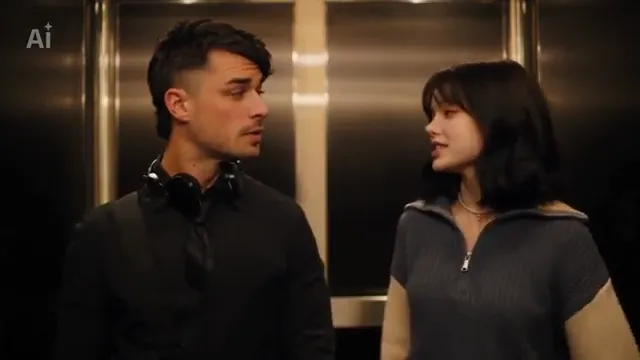
Brushed metal walls and warm light, the two of you from the waist up.
TikTok trend effect
Two photos, one of each of you: 14 seconds in the elevator, from $9.99 for your first video. Photos deleted after 7 days, never used to train AI. The 500 Days of Summer scene in wide 16:9, 7 credits at 480p (the smallest pack is 10 credits for $9.99).
Your 2 people
Two photos, one of each of you, facing the camera, waist-up if you have them. Photo 1 stands on the left in the headphones, photo 2 on the right does the talking; the sound comes with it.
Effect
Video
This video: 7 credits. Ready in about 5 to 15 minutes; failed generations return your credits. View pricing
Answer first
Updated : new page.
I love the Smiths AI is an AI video of you and a friend in the elevator scene from (500) Days of Summer, the 2009 film with Joseph Gordon-Levitt as Tom and Zooey Deschanel as Summer. In the film, Summer hears the music leaking from Tom’s headphones and says "I love the Smiths." On TikTok the scene is now a two-photo AI template: one person stands in big headphones, the other one starts talking, and the two of you share a smile in the elevator.
On 8 November 2026 #ilovethesmithstrend had 655 videos and 2.8 million views, and #500daysofsummeraitrend another 232; we sampled 151 posts by 126 creators that day, and 70 of them were from the previous 24 hours. The earliest CapCut template posts for it we found are from 5 November. Most AI versions put famous couples in the elevator; this one is for you and a friend, a partner or a crush who said yes. It follows a credited template result move by move.
RapVideo.ai has no connection to the film’s makers, the band, the creators below, TikTok or CapCut.
No. The scene comes from an AI template result made of AI-made people, not from the film, and the sound is that template clip’s own. Its voices are the template’s, so they will not sound like you. How to do the trend, with or without AI: how to do the I love the Smiths trend.
Not yet. We built it the way that worked in our Christmas Dance test, where two people were swapped into a clip with their own faces, hair and clothes, but we have not rendered this scene ourselves. The clip at the top is the template result it follows, credited to its creator.
On TikTok
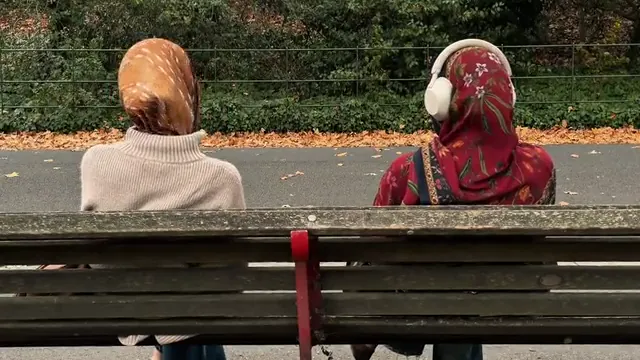
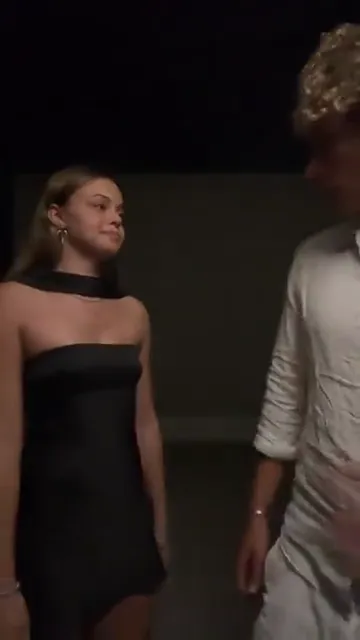
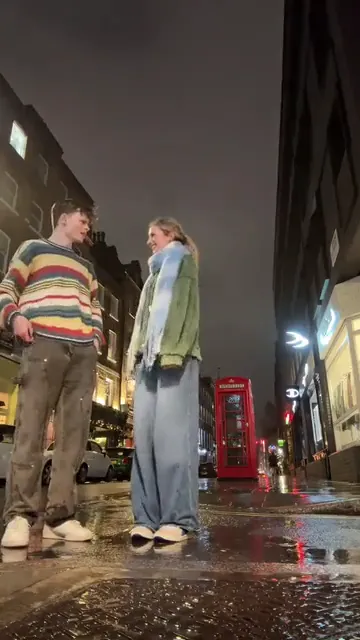
Takes on the elevator scene from TikTok, credited to their creators: tap a name to open the post.
From TikTok, credited to the creators. Tap a name to see the post.
Three steps
Clear photos, facing the camera, waist-up if you have them. Photo 1 wears the headphones on the left, photo 2 talks on the right.
Effects → Photos
RapVideo editor · View full screenshot ↗
The editor opens on the I Love the Smiths effect, 14 seconds in 16:9 on Wan 3.0. Pick 480p, 720p or 1080p.
Effects → I Love the Smiths
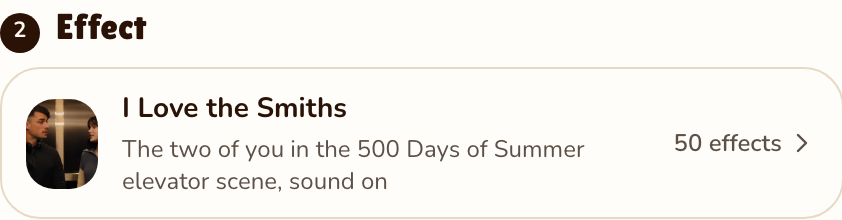
RapVideo editor · View full screenshot ↗
The video model estimates about 5 to 15 minutes. Save the MP4, sound included, and post it.
After rendering
Inside the clip
Brushed metal walls and warm light, the two of you from the waist up.
Photo 1 starts in big black headphones and pulls them down.
Photo 2 starts talking; photo 1 turns, listens and smiles.
Set up to keep your faces, hair and clothes from your photos.
We watched the template result the effect follows every half second. The effect is set up to keep its elevator, its still camera and its timing for your 14 seconds, with photo 1 on the left and photo 2 on the right (not rendered by us yet):
| Seconds | What happens |
|---|---|
| 0 to 1 | Photo 1 stands in the elevator in big black headphones, looking ahead; photo 2 glances over. |
| 1 to 2.5 | Photo 1 pulls the headphones down around the neck and turns to photo 2. |
| 2.5 to 5 | Face to face: photo 2 starts talking and makes a small gesture. |
| 5 to 8 | Photo 1 looks ahead again, then back; photo 2 keeps watching. |
| 8 to 14 | Both smile and talk, photo 2 laughing. |
| This clip | |
|---|---|
| Photos | Two, one of each person |
| Price | 14 seconds for 7 credits at 480p, 12 at 720p or 24 at 1080p; 16:9 only |
| Kept from your photos | Your faces, hair and clothes |
| From the template result | The elevator, the still camera, the headphones and every move |
| Sound | The template result’s own sound, 14 seconds; not the film’s and not the band’s recording |
| Your photos | Deleted 7 days after the render, never used to train AI |
| Tested | Not rendered by us yet. The clip at the top is the CapCut template result the effect follows, by @battos13, not our render. The same way of swapping two people into a clip, faces, hair and clothes all from the photos, is what worked in our Christmas Dance test on 9 November 2026 |
| This effect | The CapCut template | |
|---|---|---|
| Where | In the browser, on a phone or computer | In the CapCut app |
| What you add | Two photos | Photos, after opening the template from a TikTok post |
| Who | You and a friend | Most posts use famous couples |
| Cost | 14 seconds for 7 credits at 480p, 12 at 720p or 24 at 1080p | Set by CapCut |
TikTok tutorials such as this one, with 1.4 million plays on 8 November 2026, open the CapCut template from a post and add photos. Make it here if you would rather not install an app.
How to do the trend, with or without AI: how to do the I love the Smiths trend. What the line means and where it comes from: I love the Smiths meaning. More for two: Christmas dance AI, Chipmunks dance AI or all 50 AI video effects.
A TikTok trend built on the elevator scene from (500) Days of Summer, where Summer hears the music from Tom’s headphones and says "I love the Smiths." In November 2026 it became a two-photo AI template.
Add two clear photos on RapVideo.ai, the one in headphones first, keep the I Love the Smiths effect selected and press Make the effect. Download the MP4; the sound is already on it.
RapVideo.ai, on this page: two photos, a 14-second 16:9 MP4 with sound, made in the browser on a phone or computer, no app needed.
Photo 1 plays Tom, the one in the headphones on the left; photo 2 plays Summer, who leans in and talks, on the right. Anyone can play either part, but the voices on the clip are the template’s own.
No. Use your own photo and a friend, partner or crush who said yes. Faces of famous people and of children are not for this effect.
14 seconds for 7 credits at 480p, 12 at 720p or 24 at 1080p on Wan 3.0, always 14 seconds in 16:9. Packs start at 10 credits for $9.99, and a failed render gives its credits back.
No. The only free part of RapVideo is one 2-second watermarked preview per Google account, of the default Hotel Lobby video, the Bulin 47 Freestyle or Tiny Desk; everything else is paid with credits.
Going up
14 seconds in the elevator, sound on, from 7 credits.
