The street
Empty, foggy, dusk: abandoned cars and streetlights that flicker.
TikTok trend effect
Two photos (one per person) or a single photo of you both: on an empty, foggy street one of you slowly turns into a zombie, still plainly themselves, and the other person stays and holds on. 5 seconds at 720p for 4 credits, no gore.
Your photo
One photo is enough: solo or the two of you.
Effect
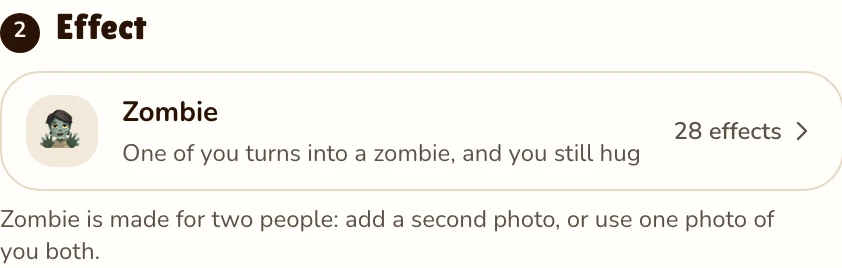
Zombie is made for two people: add a second photo, or use one photo of you both.
Video
This video: 4 credits. Ready in about 2 to 5 minutes; failed generations return your credits. View pricing
Answer first
Updated
In the AI zombie trend, a loved one (partner, best friend, parent or pet) has become a zombie, and you recognise them anyway, so you hold them instead of fighting. By early October 2026 it was a TikTok and Reels trend. A common version adds a gun that is slowly lowered and a cut to happy memories, made in tools like Dreamina or CapCut (a typical tutorial post).
Here you make the same story without the weapon. You stand close on an empty, foggy city street at dusk, abandoned cars and flickering streetlights behind you. One of you slowly turns into a zombie: skin draining to grey-green, eyes clouding over, clothes going torn and dusty, while the face stays unmistakably the same. The other person never runs. You look at each other, then hold on in a long, tender hug.
Faces and hairstyles come from your photos; the clothes rip as the turn happens. The prompt rules out blood, wounds and gore.
Three steps
Add a photo of each person: you in one, a partner, friend or relative in the other. A single shot of you together also works.
Effects → Photos

RapVideo editor · View full screenshot ↗
It comes preselected and, like the hug effects, needs two people.
Effects → Zombie
RapVideo editor · View full screenshot ↗
The provider estimates up to about 5 minutes. When the clip is ready, save the MP4 and share it.
After rendering
Inside the clip
Empty, foggy, dusk: abandoned cars and streetlights that flicker.
Skin slowly turns grey-green, eyes cloud, clothes tear; the face stays yours.
Nobody flees. A long look, then a slow, tender hold in moody light.
Slow original music, soft piano, distant wind, no voices.
| This clip | |
|---|---|
| Photos | Two people: a photo of each, or one photo of both |
| Price | 4 credits for 5 s at 720p; 5, 8, 10, 12 or 15 s possible |
| Kept from your photo | Faces and hairstyles (clothes tear during the turn) |
| Made by the effect | The foggy street, the slow turn and the embrace |
| Sound | A slow film score with soft piano and wind, no voices |
Halloween is Saturday, 31 October 2026. For something lighter, try the AI Halloween costume. For the embrace without the zombie, use the AI hug generator; for someone you have lost, the memorial hug is gentler. Or try the Raindance AI trend and the gas station AI trend. Posting tips: how to do the AI trend on TikTok. All effects: AI video effects.
Watch
Videos and posts from creators and other tools, each credited and linked to the original. Nothing loads from YouTube until you press play.
Clips on TikTok and Reels where a loved one becomes a zombie, still recognisable, and instead of fleeing you hold them. People post it as a tiny love story.
Add one photo of each person or one photo of you both, leave Zombie selected and press Make the effect. Download the clip when it is ready.
Yes, couples are who it was written for: your photo plus your partner’s. One of you changes, the other refuses to let go. Friends, siblings and family fit just as well.
No. The prompt keeps the zombie mild: grey-green skin, cloudy eyes, torn clothes, and no blood or wounds anywhere. It plays as sad, not scary.
No. It is one scene: the street, the turn and the embrace. To add memories, cut your own photos in after it in any editor.
Not reliably. The effect is written for people, so a pet may not turn or embrace the way you expect. Make a pet rap video instead.
No. Any browser works. The street, the turn and the embrace are part of the effect, so you add photos and nothing else.
5 seconds at 720p on Seedance 2.0 Mini is 4 credits. Longer or sharper clips cost more, and the price shows before you render. No free trial: packs start at 10 credits for $9.99, and a failed render gives its credits back.
Guides
