The shy start
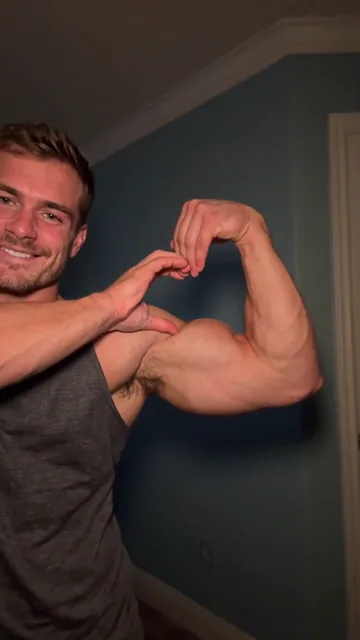
Waist-up in a warm-lit room, a small smile at the camera.
TikTok trend effect
Bicep heart AI turns one photo of you into the TikTok bicep heart: a shy smile, a sleeve pushed up, one arm flexed and the other hand curved into a heart against it. 7 seconds for 4 credits at 480p, 6 at 720p or 12 at 1080p.
Your photo
One clear photo of you, facing the camera, waist-up if you have it. You flex one arm and make the bicep heart; the room and the sound come with it.
Effect
Video
This video: 4 credits. Ready in about 5 to 15 minutes; failed generations return your credits. View pricing
Answer first
Updated : new page.
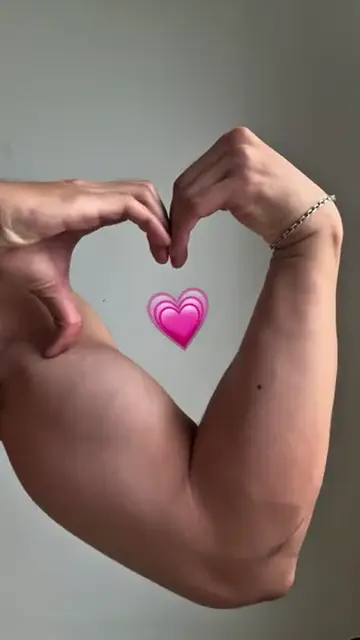
Bicep heart AI is an AI video of you doing the bicep heart: you flex one arm with the fist curled in and curve the other hand up to meet that fist, so the two hands make the top of a heart and the arm makes its side. It is the pose of the week on TikTok, posted by gym regulars, couples and people who have never lifted; one of the biggest takes asks “have you ever heard of a bicep heart?”
On 5 November 2026 #bicepheart had 4,865 videos and 21.7 million views, and #bicepsheart another 1,512; in our sample, 87 different creators posted one in the previous 24 hours. Google searches for "bicep heart" climbed from almost none before 1 November to their highest level yet in the first week of November (Google Trends, checked on 5 November 2026). On this page you add one photo, and the video model follows a credited take move by move with you in it, in your own clothes, with the trend's sound.
RapVideo.ai has no connection to the creators in the clips, TikTok or CapCut.
No. The model follows your photo, so use one that shows your arms: in our second test, a man in a tank top kept his own arms and clean wrists. Arms your photo hides are filled in: in our first test, a man in long sleeves came out with a flexed bicep like the creator’s and, before we changed the prompt, her watch, bracelets and tattoo. How to do it for real: how to do the bicep heart trend.
No. TikTok tutorials open a CapCut template and import a photo. Here you do it in the browser: one photo in, a bicep heart AI MP4 out, with the sound on it.
On TikTok
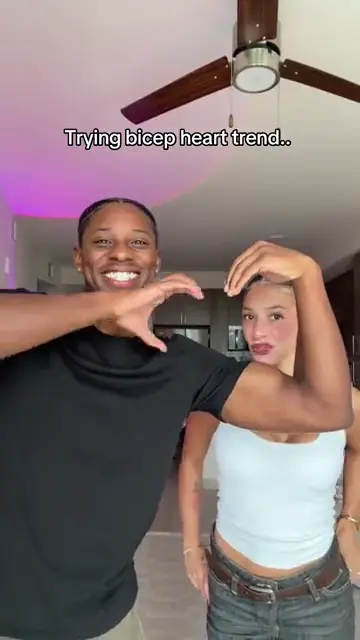
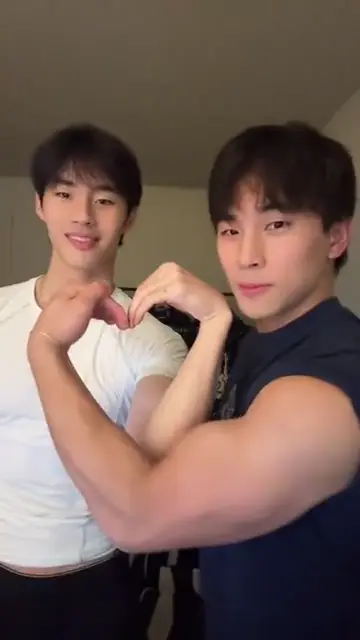
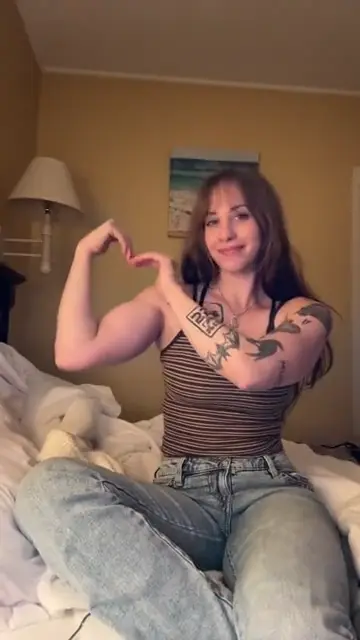
Takes on the bicep heart from TikTok, credited to their creators: tap a name to open the post.
From TikTok, credited to the creators. Tap a name to see the post.
Three steps
One clear photo, facing the camera, waist-up with your arms in view if you have it. Your clothes in the photo are the clothes in the clip.
Effects → Photos
RapVideo editor · View full screenshot ↗
The editor opens on the Bicep Heart effect, 7 seconds in 9:16 on Wan 3.0. Pick 480p, 720p or 1080p.
Effects → Bicep Heart
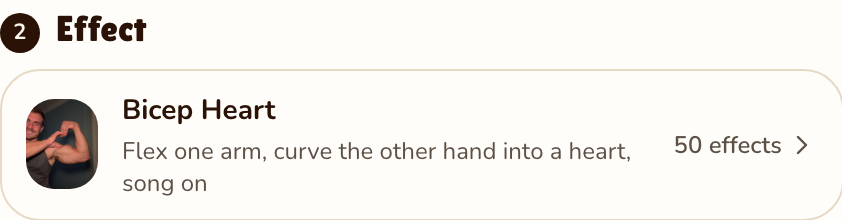
RapVideo editor · View full screenshot ↗
The video model estimates about 5 to 15 minutes. Save the MP4, sound included, and post your bicep heart AI video.
After rendering
Inside the clip
Waist-up in a warm-lit room, a small smile at the camera.
A sleeve pushed up, then the arm bent up to show the bicep.
The other hand curves against the bicep, and arm and hand make one heart.
The take’s sound, the trend’s, 7 seconds, on the finished MP4.
We watched the take the effect follows every half second. Your 7 seconds keep its moves and its camera; you stand where the creator stood:
| Seconds | What happens |
|---|---|
| 0 to 1.5 | Waist-up, facing the camera, a shy smile, hands relaxed in front of you. |
| 1.5 to 3 | One hand pushes the other sleeve up to the shoulder. |
| 3 to 3.5 | A small step to the side and the bare arm bends up: the bicep flex. |
| 3.5 to 5 | The other hand comes across and curves against the flexed bicep: the two make a heart. |
| 5 to 7 | Holding the bicep heart, a look at the camera, a tilt of the head and a smile. |
| This clip | |
|---|---|
| Photos | One, of you |
| Price | 7 seconds for 4 credits at 480p, 6 at 720p or 12 at 1080p; 9:16 only |
| Kept from your photo | Your face, hair and outfit; arms only as far as your photo shows them |
| From the TikTok take | The room, the still camera and every move |
| Sound | The take’s sound, 7 seconds, added to the finished clip |
| Tested | Rendered by us twice on 5 November 2026, both at 480p from photos of AI-made men. The first, in a long-sleeved blue shirt, did every move of the take, but the black watch, bracelets and forearm tattoo of the woman in it showed up on him. We changed the prompt to leave those out. The second, in a tank top with bare arms and nothing on his wrists, did every move too and kept his face, his tank top and his muscular arms, and nothing from her wrists showed up; where the take pushes a sleeve up, he grips his shoulder. The clip at the top is the second render |
How to do the bicep heart for real: how to do the bicep heart trend. What it means and why it spread: bicep heart meaning. More from one photo: charme dance AI, flamingo float AI or all 50 AI video effects.
A TikTok pose from the end of October 2026: you flex one arm and curve the other hand against the bicep, so the arm and the hand form a heart. People post it as a joke, a flirt or a gym flex.
Add one clear photo of you on RapVideo.ai, keep the Bicep Heart effect selected and press Make the effect. Download the MP4; the sound is already on it.
RapVideo.ai, on this page: one photo, a 7-second 9:16 MP4 with the sound, made in the browser on a phone or computer, no app needed. TikTok tutorials also use CapCut templates.
It can if your photo hides your arms: the model fills them in, and in our first test, of a man in long sleeves, they came out looking like the creator’s. With bare arms in the photo, our second test kept the man’s own arms. Use a photo that shows your arms.
Not in this effect, which has one person. On TikTok couples share one heart, one flexing and the other making the curve; that is a real-life version to film yourselves.
7 seconds for 4 credits at 480p, 6 at 720p or 12 at 1080p on Wan 3.0, always 7 seconds in 9:16. Packs start at 10 credits for $9.99, and a failed render gives its credits back.
No. The only free part of RapVideo is one 2-second watermarked preview per Google account, of the default Hotel Lobby video, the Bulin 47 Freestyle or Tiny Desk; everything else is paid with credits.
Flex with feeling
7 seconds of sleeve, flex and heart, sound on, from 4 credits.
