How to Do a Hanging Mic Video, Filmed or AI From a Photo
A hanging mic video is a rap performance at a microphone that hangs on a cable in front of the artist, as in the From The Block series. To film one, hang a mic at mouth height, put a few friends behind you, play the song and perform over it from two or three angles, then cut between them on the beat. Without a camera or a crew, the AI version puts you in BigXthaPlug’s Give It All episode from one photo.
Updated
Hanging mic video
You at the mic
From one photo or filmed.
- The steps
- The photo
- The real mic
RapVideo.ai has no connection to From The Block, BigXthaPlug or the creators below. Below: filming one step by step, what you need, how to cut it, the AI version from one photo (15 seconds for 7 credits at 480p, 12 at 720p or 24 at 1080p on RapVideo.ai), two of you at a hanging mic, and tips for posting.
How to film a hanging mic video, step by step
- Pick the spot: a street corner, a porch, a lobby, anywhere with room for people behind you and something high to hang the mic from.
- Hang the mic at mouth height: run the cable over a branch, a beam or the arm of a boom stand, and keep the top of it out of the shot.
- Put people behind you: friends standing close make the crowd. In BigXthaPlug’s Give It All episode the fans behind him hold up flags.
- Play the song out loud and perform over it, so your mouth and the sound line up.
- Film vertical, chest up, and do the whole song two or three times from different angles: straight on, from the side, and a wider front shot.
- Cut between the angles on the beat. The Give It All episode switches at about 6.3 and 11.8 seconds in its first 15.
- Watch the light: daylight, or warm lights behind the crowd at night.
A crew filming one for an artist’s new album did it this way: they first tried a stand to hang the mic from, then went outside and ran the cable over a tree branch, shot from several angles to make it feel alive, and hurried because they were losing daylight.
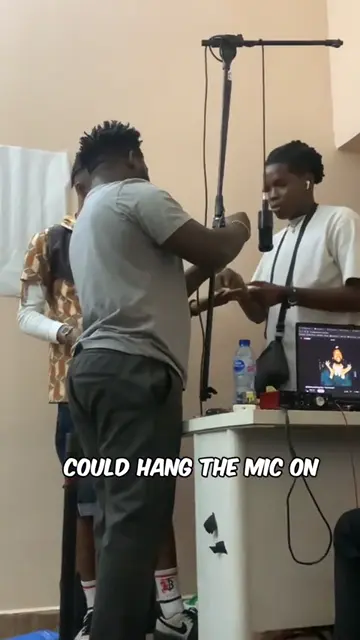
From TikTok, credited to the creators. Hover over a clip (or tap it) to play; tap a name to see the post.
One photo
Your hanging mic video from one photo
15 seconds at BigXthaPlug’s hanging mic, sound on, from 7 credits.
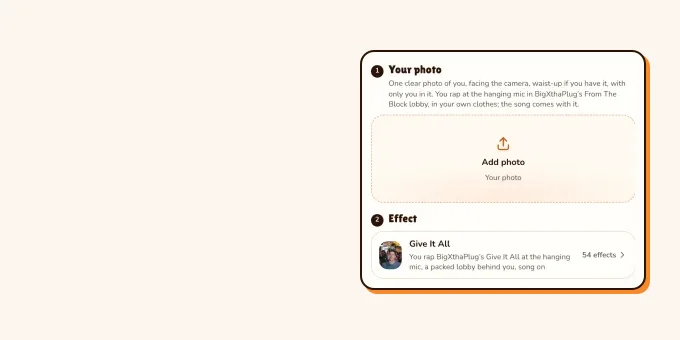
Your photo
One clear photo of you, facing the camera, waist-up if you have it, with only you in it. You rap at the hanging mic in BigXthaPlug’s From The Block lobby, in your own clothes; the song comes with it.
Effect
Video
This video: 7 credits. Ready in about 5 to 15 minutes; failed generations return your credits. View pricing
What you need for a hanging mic video
A hanging mic video needs little gear: the mic, something to hang it from, a phone and a speaker.
| What | Why |
|---|---|
| A vintage-style mic | It is the look of the format; if you perform over the track, it can be a prop that is not plugged in |
| Something to hang it from | A branch, a beam or a boom stand, with the cable running up out of the shot |
| A phone or camera | Vertical, chest up, steady enough to repeat the same angle |
| A speaker | To play the song out loud while you perform, so the timing holds |
| People | Friends behind you make the crowd; they can cheer, nod and hold things up |
| Light | Daylight, or warm lights behind the crowd at night |
How to cut a hanging mic video
A hanging mic video is cut on the beat between a few angles of the same performance. Lay the song down first, line each take up to it, then switch angles on a strong beat, every few seconds; the Give It All episode moves from a close, straight-on shot to the side and then to a front shot under a cinema sign in its first 15 seconds. Keep the mic in frame in every shot, export it vertical, 9:16, and credit the song.
A hanging mic video from one photo, with AI
To make a hanging mic video without filming, use an AI effect built on a real one. Our BigXthaPlug Give It All AI effect puts you in his From The Block episode: three angles of you at the hanging mic in a cinema lobby, the crowd behind you, 15 seconds with the song, in a 3:4 portrait frame.
- Pick one clear photo of you, facing the camera, waist-up if you have one, with only you in it.
- Open the BigXthaPlug Give It All AI page; the editor opens on the Give It All effect.
- Add your photo, pick 480p, 720p or 1080p and press Make the effect.
- Wait for the render (the video model estimates about 5 to 15 minutes), then download the MP4 with the song on it.
On TikTok people also make it with CapCut templates and Kling AI, as "the Give It All to Me AI trend"; both ways step by step, and which photo works best, are on the BigXthaPlug Give It All AI page.
We tested it once, on 16 November 2026, with a photo of an AI-made man at 480p: he kept his own face, hair and T-shirt for all 15 seconds, with none of the performer’s cap, chain or jacket, and the cuts and moves landed on time; in the last shot the camera sat further back than in the performance. Other photos are untested.
Two of you at a hanging mic
Two people can share a hanging mic: one raps, the other hypes from beside the mic, and you swap on the next part. With AI, the Hotel Lobby AI booth takes two photos, one of each of you, in the orange booth of the Hotel Lobby trend; how it works: how to do the Hotel Lobby trend.
Tips for posting your hanging mic video
- Tag it: on 16 November 2026 #fromtheblock had 3,506 videos and 174 million views, and #bigxthaplug 88,236 videos.
- If it is Give It All, post it soon: in our sample, 46 AI versions went up in the 24 hours to 16 November 14:37 UTC against 2 the day before, most of them from CapCut template promo accounts.
- Put someone unexpected at the mic, a parent or a teacher who said yes: the less likely the rapper, the better the post.
- Turn on TikTok’s AI-generated content label for an AI version. The rules are in does TikTok allow AI videos?.
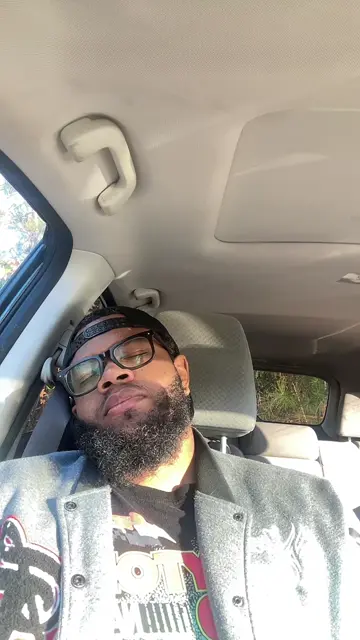
From TikTok, credited to the creators. Hover over a clip (or tap it) to play; tap a name to see the post.
FAQ
How do you do a hanging mic video?
Hang a mic at mouth height on a cable, put friends behind you, play the song and perform over it from two or three angles, then cut between them on the beat. Or make the AI version from one photo.
How do you hang a microphone for a video?
Run its cable over a branch, a beam or the arm of a boom stand so the mic sits at mouth height, and keep the top of the cable out of the shot.
Does the mic in a hanging mic video have to work?
No. If you play the song out loud and perform over it, the mic can be a prop; it only has to look the part.
What do you need for a hanging mic video?
A vintage-style mic, something to hang it from, a phone or camera, a speaker for the song, a few friends behind you and decent light.
Can I make a hanging mic video without filming?
Yes. On RapVideo.ai the Give It All effect puts you at BigXthaPlug’s hanging mic from one photo, 15 seconds with the song, from 7 credits.
Can two people be in a hanging mic video?
Yes: one raps and the other hypes beside the mic, then you swap. The Hotel Lobby booth on RapVideo.ai does it with AI from two photos.
Sources
Read next
What Is From The Block Performance? The Hanging Mic Series
From The Block performance: the hanging mic rap series on the 4 Shooters Only channels, what an episode looks like, who started it and the hanging mic trend, some of its most played videos, BigXthaPlug’s Give It All, the AI trend it set off, and how to tell an AI version from the real one.
Hotel Lobby Trend: How to Do It in Minutes From Two Photos
Three ways to do the Hotel Lobby trend (two photos and AI, a CapCut template, filming it yourself), with steps, free options and posting tips.
Does TikTok Allow AI Videos? Labels and Rules for 2026
TikTok allows AI videos but requires a label on realistic AI people and scenes: the label steps on phone and computer, what stays banned (private people without consent, misleading public figures), auto labels, and reach.
RapVideo is an independent tool, not affiliated with Quavo, Takeoff, Migos, Quality Control Music, Motown or COLORS.