The party
Night, glowing carved pumpkins, candles, fake cobwebs and strings of orange lights.
Halloween effect
Your photo, a pumpkin-lit house party, and a swirl of orange and purple sparkles that turns what you are wearing into a homemade Halloween costume: a witch, a vampire in a long cape, a skeleton suit or a pumpkin. Alone, as a couple or with a friend. 5 seconds at 720p for 4 credits.
Your photo
One photo is enough: solo or the two of you.
Effect
Video
This video: 4 credits. Ready in about 2 to 5 minutes; failed generations return your credits. View pricing
Answer first
Updated
Looking for an AI Halloween costume generator or filter? The question behind it is simple: what would I look like in costume? Maybe you want to try costumes before buying, need something for a quick post, or just want to know what Halloween costume you should be. This page renders a moving version from your photo.
The scene, as the effect describes it: night, a cozy Halloween house party, carved pumpkins glowing, candles, fake cobwebs and orange string lights. You smile at the camera; orange and purple sparkles spiral around you, and your clothes become a fun homemade Halloween costume. Then you glance down at it, laugh, and throw a playful spooky pose. Face and hairstyle stay as in your photo; only the outfit changes.
Halloween 2026 is Saturday, 31 October. The clip is handiest in the run-up, as an invite, a costume test or a couple post, but you can make one all year. Its soundtrack is an original spooky-fun tune with organ and plucked bass and no voices.
The model does. The prompt gives it examples of homemade costumes (a pointed-hat witch, a vampire in a long cape, a skeleton suit, a pumpkin) and bans characters from films, games or brands, which leaves something in that classic spirit rather than a pick from a menu. With two people, you may match or not.
Three steps
Clear and front-facing, selfie or waist-up. Couples and friends: add one photo each, or one photo of the two of you.
Effects → Photos
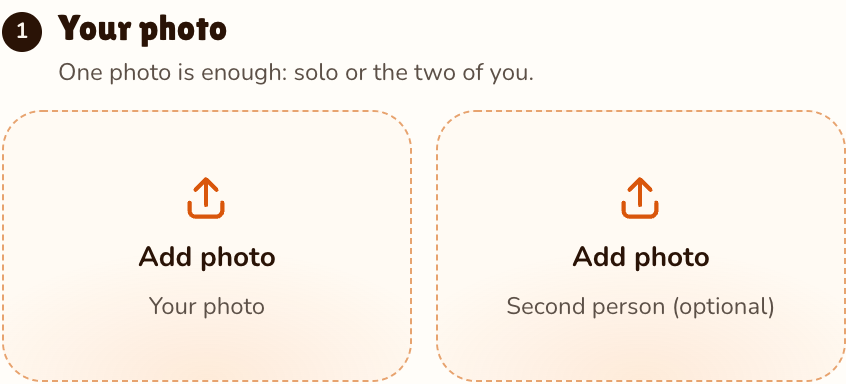
RapVideo editor · View full screenshot ↗
It is preselected; 28 effects shows the rest.
Effects → Halloween Costume
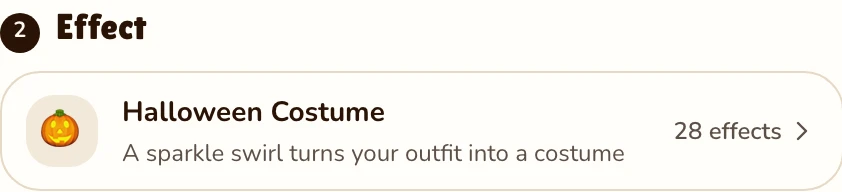
RapVideo editor · View full screenshot ↗
The provider estimates up to about 5 minutes. Save the MP4 and post it on TikTok or Reels.
After rendering
Inside the clip
Night, glowing carved pumpkins, candles, fake cobwebs and strings of orange lights.
Orange and purple sparkles spiral around you as your clothes turn into a homemade-style costume.
A look down at the new outfit, a laugh, then a playful spooky pose.
Original, spooky-fun, organ and plucked bass, no vocals: the clip is never silent.
| This clip | |
|---|---|
| Photos | A single photo, or one per person for a couple or two friends (same price) |
| Price | 4 credits for 5 s at 720p; 5, 8, 10, 12 or 15 s possible |
| Kept from your photo | Face and hairstyle (the clothes become the costume) |
| Made by the effect | The house party, the sparkle swirl, a generic homemade costume, the pose |
| Sound | An original spooky-fun Halloween tune, organ and plucked bass, no voices |
For something moodier this season, the AI zombie trend turns one of you grey-green before a hug. Every effect here is written for people; for a dog or cat, a pet rap video fits better. Also new this month: the Raindance AI trend and the 80s AI video. Browse all AI video effects, or read how to do the AI trend on TikTok before you post.
Watch
Videos and posts from creators and other tools, each credited and linked to the original. Nothing loads from YouTube until you press play.
This one does. Add a photo of yourself; Halloween Costume is preselected, so press Make the effect, and a few minutes later you have a short party video where your clothes swirl into a costume.
Make the video on this page, then post it to TikTok or Reels and add a Halloween sound in the app if you want a trending track. Without one, its own organ-and-bass tune plays.
Not directly. The costume is the model’s pick from the classics the prompt names (witch, vampire, skeleton, pumpkin), and film, game or brand characters are ruled out.
In a way: each render lands you in a classic look, and you see it moving on you. Another try is another render at 4 credits, so use your sharpest photo from the start.
Yes. Add one photo of each of you, or one with both, and the two of you end up in costumes at one party, for 4 credits. Couples, friends and siblings all work.
We would not count on it: the prompt describes people, so a dog or cat may come out unchanged or odd. For a pet, the pet rap video is the better pick.
No. The effect keeps your face and hairstyle from the photo and changes only the clothes, so a hat or cape is added around the hair you already have.
5 seconds at 720p for 4 credits on Seedance 2.0 Mini. Longer or sharper clips cost more, and the price shows before you render. No free trial: packs start at 10 credits for $9.99, and a failed render gives its credits back.
No app and no prompt: it works in a browser, and the party, sparkle swirl, costume and pose are all part of the effect.
Guides
Before 31 October
5 seconds, 4 credits. Solo or as a pair.

