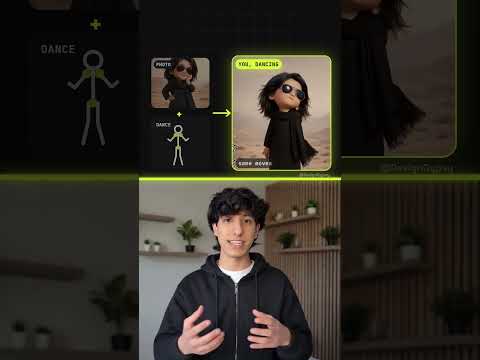
A neon studio
Colorful light strips, a glossy floor and music-video lighting.
Dance effect
Add a photo of you, or of the two of you, and get a short dance clip: a neon studio, a smooth, energetic routine with a spin and a final pose, and a camera gliding around you.
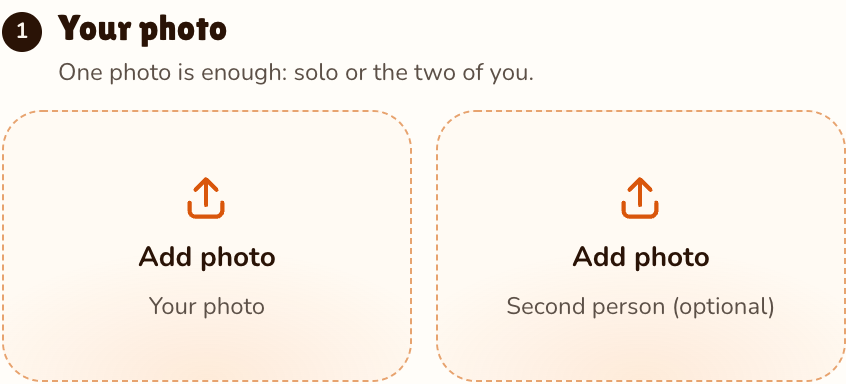
Your photo
One photo is enough: solo or the two of you.
Effect
Video
This video: 4 credits. Ready in about 2 to 5 minutes; failed generations return your credits. View pricing
The short answer
Updated
To make an AI dance video from a photo, add one clear photo of yourself, keep Dance selected and press Make the effect. The provider estimates up to about 5 minutes. You get a 5-second MP4: a bright studio with neon light strips and a glossy floor, and you dancing a smooth, energetic routine on the beat, seen head to toe, with footwork, arm waves, a spin and a sharp final pose while the camera glides around you like a music video.
You can make an AI dance video of yourself, a friend or the two of you, so it answers every version of the question: how to make a picture dance, how to make yourself dance with AI, how to make someone else dance. Your face, hairstyle and outfit come from the photo; the background is replaced by the studio. The sound is an original dance-pop beat with no vocals. There is no app and no prompt: the room, the moves, the camera and the beat are already written in.
What it cannot do: the routine is described in words, not count by count, so you cannot pick a named TikTok dance or copy a challenge. Dance is made for people, not pets. For other ways to make an AI video of yourself, see the solo effects.
Step by step
Add a photo of you head to toe, or at least waist up. For a duo, a photo of each person, or one photo of both.
Effects → Photos
RapVideo editor · View full screenshot ↗
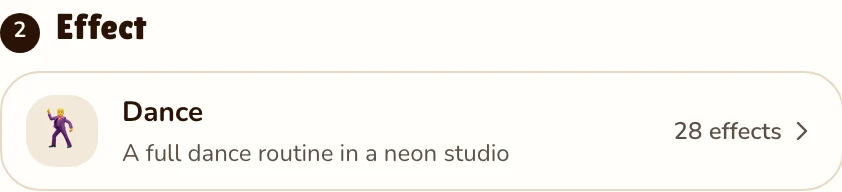
The Dance effect is set on this page; the picker holds 27 more.
Effects → Dance
RapVideo editor · View full screenshot ↗
Press Make the effect and sign in with Google. The 9:16 MP4 lands in My videos with no watermark.
After rendering
What you get
Colorful light strips, a glossy floor and music-video lighting.
Footwork, arm waves, a spin and a sharp final pose, seen head to toe. No real dance or challenge is copied.
You dance in what you wear in the photo, face and hairstyle kept as they are.
A continuous shot that slowly circles you.
Upbeat dance-pop with a punchy kick and no vocals, so the clip plays as it is.
Two photos put you both on the floor, at the same price as one.
The generator here starts on 9:16, the shape TikTok, Reels and Shorts fill; 1:1 and 16:9 cost the same. For an AI dance challenge, post your dance clip in the app and add the trending sound from its own library, with the hashtag. We never put a copyrighted song in the clip, so its beat is original; turn it down in the app’s volume control to hear only the trending track. More in how to do the AI trend on TikTok.
The Dance prompt is written for people, so there is no pet mode and a dancing dog or cat is not something we promise; an odd finished render is still charged. The pet page is the pet rap video: your pet, and another pet or you, rapping an original song in the orange booth. It starts at 480p, so a first test stays cheap.
Watch
Videos and posts from creators and other tools, each credited and linked to the original. Nothing loads from YouTube until you press play.
Yes. Add a photo, keep Dance selected and make it; the provider estimates up to about 5 minutes. For two people, use a photo of each, or one photo of both.
No. A dance video is 5 seconds at 720p for 4 credits, or 2 credits at 480p. There is no free video or free trial: credit packs start at 10 credits for $9.99, pack credits never expire, and a render that fails gives its credits back.
Use their photo instead of yours: a clear, full-length picture of someone happy to be in it. Never public figures or anyone who has not agreed.
We cannot promise it: Dance is written for people. For your pet, the pet rap video puts a dog or cat on stage with another pet or you, rapping an original song.
As your own take: download the MP4, upload it, then add the challenge sound and hashtag in the app. The moves are its own, not the challenge’s choreography.
An original, upbeat dance-pop beat with no vocals. No copyrighted song is added; pick a trending track from the TikTok or Instagram library when you post.
A full-length photo facing the camera in good light, without sunglasses or a cap. What you wear in it is what you dance in.
Yes. Add one photo of each person, or one photo of both, and you dance side by side from the first frame, at the same price as one.
Guides
On the floor
5 seconds, 4 credits, an original beat. Post it with the sound you like.