How to Make an AI Music Video for Your Own Song
First decide how long the video is. A full-length AI music video, three minutes of scenes cut to the whole song, is a chain of tools: one for the song, one or two for images and moving shots, one for lip-synced performance shots, and an editor to cut it all together. A short clip of the hook, for TikTok or Reels, can be one step.
Updated
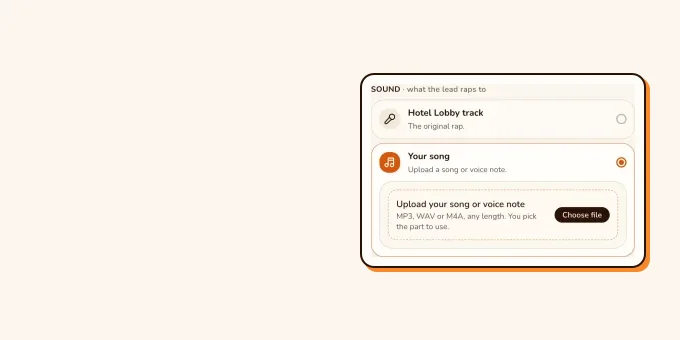
Your own song
AI music video for your song
A full video, or the hook.
- Full length
- 15-second clip
RapVideo does the short one: upload MP3, WAV, M4A, AAC or OGG, pick 2 to 15 seconds, and the person in your left photo performs it in the orange Hotel Lobby booth while a friend hypes. 12 seconds at 480p is 6 credits, and the audio adds nothing to the price.
A performance clip of your song, step by step
- Add two photos in the editor below: the left one is the voice of the video, the right one dances. One photo of you both also works.
- Your song is already selected as the sound. Choose the file (MP3, WAV, M4A, AAC or OGG) and drag the start point to the part you want; only that stretch is kept, 2 to 15 seconds.
- Pick the length (5, 8, 10, 12 or 15 seconds) and the quality, and check the credits on the button.
- Make the video. Wan 3.0 estimates about 5 to 15 minutes. Download the MP4 and post it.
The soundtrack in the finished video is generated from your recording, so it follows it closely without being a bit-for-bit copy. For a release, lay your master back over the MP4 in any editor. Use recordings you own or are licensed to use.
Your song
Put your song on stage
Add two photos and your song (MP3, WAV, M4A, AAC or OGG). The left one performs it, the right one hypes; the audio adds no credits.
Your two performers
One person each. Left raps, right hypes.
Stage
Video & sound
This video: 6 credits. Ready in about 5 to 15 minutes; failed generations return your credits. View pricing
Full song or a teaser? Pick the job first
| Goal | Length | What it takes | On RapVideo? |
|---|---|---|---|
| Teaser for a release | 5, 8, 10, 12 or 15 s | Photos and the hook of the song | Yes, one render |
| A toast or voice note on stage | Up to 15 s | Photos and the recording | Yes, one render |
| Full-length music video | The whole song | Many shots, a lip-sync tool and an editor | No: clips stop at 15 seconds |
| Lyric video | The whole song | An editor or a lyric-video tool; no faces needed | No |
The full-length workflow creators use
- The song. Many start in Suno or another AI music tool, or with their own recording. Pick the take with the clearest vocal: lip sync follows the voice.
- The look. Make still images for each scene with an image model, keeping the same singer across shots.
- Movement. Animate the stills into short clips with an image-to-video model.
- Performance shots. Run the singer’s picture and a stretch of the song through a lip-sync tool for the close-ups.
- The edit. Cut the clips to the full song in a video editor, and add the master audio last.
Two creators show this chain on TikTok. @ai.for.real.life lists ChatGPT and Suno for the song, Veo 3, Imagen 4 and Kling for the shots, and Hedra to lip-sync a still of the singer. @kelly_boesch_ai_art made a Suno song and animated Midjourney images with Pika, with no lip sync at all; that video passed 45,000 views. Hover over a clip (or tap it) to play.
- TikTokA Suno song, AI shots and a lip-synced singer@ai.for.real.life
- TikTokA Suno song over animated Midjourney collages@kelly_boesch_ai_art
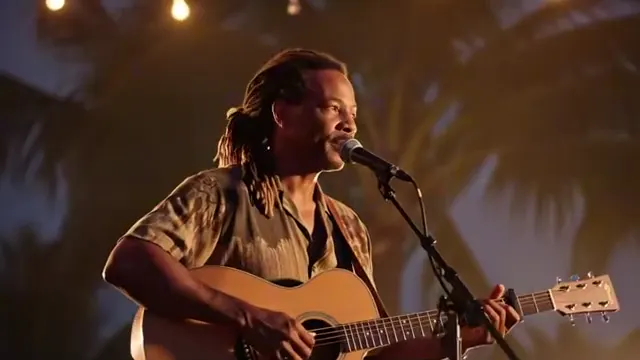
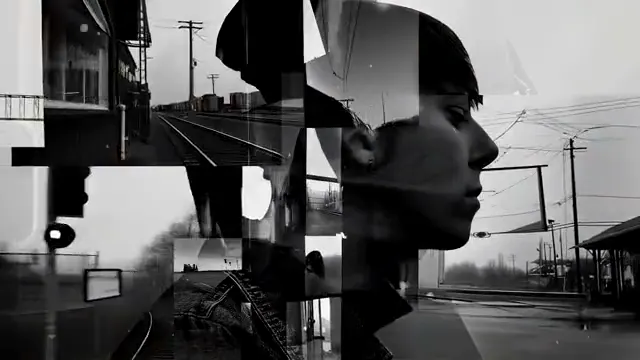
From TikTok, credited to the creators. Hover over a clip (or tap it) to play; tap a name to see the post.
Comparing tools for the long route? See best AI music video generators. For more on photo-and-song clips here, see the AI music video generator page.
Choose the right 15 seconds
- Use the hook or the line people will quote, not the intro.
- Pick a stretch where the vocal is clear and on top of the beat; the mouth follows the voice.
- Put the singer on the left. Only the left person lip-syncs; the right one hypes.
- Want two voices trading lines? Your own audio is the wrong tool; an AI rap duo with Both rap writes new lines for two.
FAQ
How do I make an AI music video for my song?
For a full-length video, chain tools: song, images, image-to-video, lip sync, then an editor. For a 2 to 15-second clip of you performing it, upload the song with two photos on RapVideo and render once.
Can I make a music video for a Suno song?
Yes. Download the track from Suno as an MP3 or WAV, check your plan’s terms for posting it, and upload it here; the left person performs 2 to 15 seconds of it.
Can RapVideo make a full-length music video?
No. Each video is 5 to 15 seconds: enough for a hook, a teaser or a toast, not a whole song.
Does uploading my own song cost extra?
No. The price depends only on length and quality: 12 seconds at 480p on Wan 3.0 is 6 credits.
Will the AI change my song?
The video’s soundtrack is generated from your recording, so it follows it closely without being an exact copy. Put your master back over the MP4 for a release.
Sources
Read next
Best AI Music Video Generators in 2026, Matched to the Job
Music video generators by job: song visuals, beat-cut clips, cinematic shots or two people performing.
How to Make a Photo Sing With AI, Birthday Songs Too
How to make a photo sing with AI: lip-sync a photo to a recording you have, or have AI write and sing an original song (birthday, love, Christmas) for two people, 10 credits for 12 seconds at 720p on RapVideo.
RapVideo is an independent tool, not affiliated with Quavo, Takeoff, Migos, Quality Control Music, Motown or COLORS.