How to Make Your Baby Do the Sticky Bubblegum Dance With AI
To make your baby do the sticky bubblegum dance with AI, you need one clear photo of your baby: the AI turns it into a short video of your baby on a big white bed doing the trend’s routine, claps, hands stuck to the tummy, the gum pulled apart and little kicks, with the remix on. On TikTok people use a CapCut template; on RapVideo.ai the same dance comes from one photo in the browser.
Updated
Sticky bubblegum AI
Your baby, dancing
In the browser or CapCut.
- The steps
- The photo
- The sound
RapVideo.ai has no connection to Ms Rachel, the creators below, TikTok or CapCut. We tested our effect once, on 14 November 2026, with a photo of an AI-made toddler: he kept his own face and clothes and did the routine move for move. Below: both ways step by step, which photo works best, what makes results look off, the sound, how to learn the dance yourself, and tips for posting (14 seconds for 7 credits at 480p, 12 at 720p or 24 at 1080p on RapVideo.ai).
Make your baby dance with AI in the browser, step by step
- Pick a clear photo of your baby on their own with the face easy to see. Full-body is best and sitting works too; a photo of your baby in someone’s arms is not for this effect.
- Open the sticky bubblegum AI page on RapVideo.ai; the editor opens on the Sticky Bubblegum effect.
- Add the photo. The AI first draws your baby standing on their own and normally sends that drawing to the video model in place of your photo; if the drawing cannot be made, your photo goes instead.
- Pick 480p, 720p or 1080p and press Make the effect.
- Wait for the render (the video model estimates about 5 to 15 minutes), then download the 14-second MP4 with the remix on it.
- Post it, labelled as AI.
One photo of your baby
Make your baby dance, sticky bubblegum style
14 seconds of the dance on a big white bed, remix on, from 7 credits.
Your photo
One clear photo of your baby or toddler on their own, face easy to see, full-body if you have it; sitting works too, not in someone’s arms. Your baby dances the routine on a big white bed; the remix comes with it.
Effect
Video
This video: 7 credits. Ready in about 5 to 15 minutes; failed generations return your credits. View pricing
The sticky bubblegum dance in CapCut, step by step
- Find a post with a "CapCut · Try this template" link above the caption, such as this tutorial from 13 November, or search TikTok for "sticky sticky bubblegum".
- Tap the template link. CapCut opens on the template; check its sample first, as there is more than one sticky bubblegum template.
- Tap Use template and pick one photo of your baby.
- Wait while CapCut makes the video, then export it.
- Post it on TikTok with the AI-generated label on.
If a template link stops working, try another tutorial post. CapCut sets its own terms for templates and exports.
Two ways to do it: CapCut or the browser
| Way | What you do | What you get |
|---|---|---|
| A CapCut template | Open the template from a TikTok post and add one photo in the app | The template’s scene and sound |
| The Sticky Bubblegum effect in the browser | Add one photo on RapVideo.ai | 14 seconds on a white bed, the remix on, 7 credits at 480p |
Either way, the photo decides how good it looks.
Which baby photo works best
The template shows the whole baby, head to toe, on a big bed, so the face is small in the frame. The photo has to make it easy for the AI to see who your baby is:
| Photo | Why |
|---|---|
| Face big, sharp and toward the camera | The face is small in the dance, so it needs a good start |
| Good, even light | Shadows and filters change the face |
| Full-body if you have one | Legs and feet show in every kick |
| One baby in the photo | Twins or siblings go in one at a time |
| The clothes you want in the clip | Your baby dances in what the photo shows |
| Your own child, or a parent said yes | It is someone’s baby, so ask first |
Photos that make a baby dance video look off
- The face is small, blurry or turned away in the photo, so the model guesses it.
- A pacifier, a hand or a bottle in front of the face can stay in the video.
- Two children in one photo: the model may take the wrong one.
- A heavy filter or a beauty effect changes the skin and the eyes.
- The bed and the room are always the template’s: they are part of the scene.
The sound: keep the remix
Templates come with their sound already on them, and so does our effect: the finished MP4 carries the template’s ICKYSTICKY1.5 remix. In CapCut, keep the template’s sound so your post lands on that sound’s page with the others. Where the song and the remix come from: what the sticky bubblegum dance trend is.
Learn the sticky bubblegum dance yourself
The grown-up version is short and easy: most people learn it from @maybe.taj’s post. Watch it at half speed (press and hold the video, then pick 0.5x) and copy one part at a time: the claps, the hands on the tummy, the pull, the two kicks, the last clap. Then film your baby’s AI version and yours side by side.
- TikTokThe routine most people learn, by @maybe.taj.@maybe.taj
- TikTokThe same steps, full body, in a dance studio.@exklusive_kaylaa
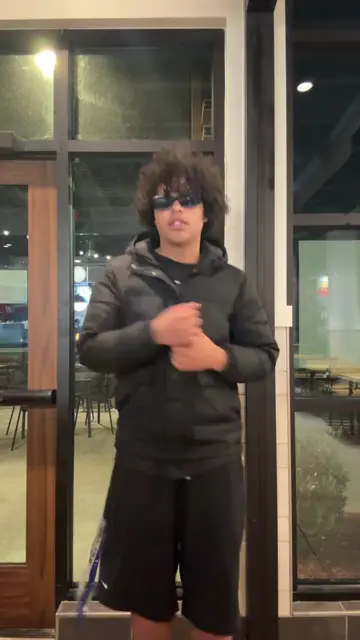
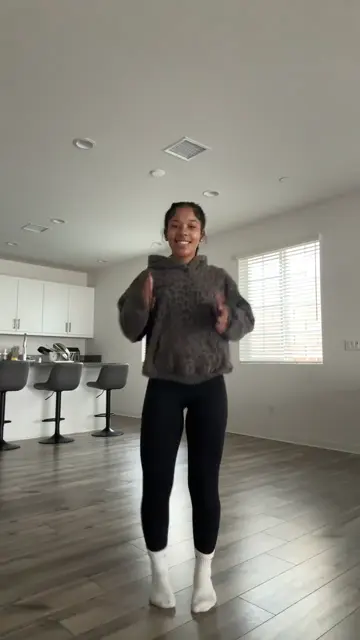
From TikTok, credited to the creators. Hover over a clip (or tap it) to play; tap a name to see the post.
Tips for posting your version
- Tag it #stickystickybubblegum, #stickybubblegum or #stickybubblegumtrend, the tags the trend posts use.
- Post it soon: the baby versions started on 12 November 2026, and on 14 November new ones were still going up every hour.
- Turn on TikTok’s AI-generated content label. The rules are in does TikTok allow AI videos?.
- Think about who sees it: a public post of your baby can be shared and saved by anyone.
FAQ
How do I make my baby dance with AI?
Pick one clear photo of your baby and use a baby dance effect: on RapVideo.ai the Sticky Bubblegum effect makes the trend’s dance in the browser; on TikTok people open a CapCut template from a post and add the photo.
What app makes the sticky bubblegum baby dance?
Most TikTok posts use a CapCut template. Web tools such as RapVideo.ai make it from one photo in the browser.
How many photos do I need?
One photo of your baby on their own. A full-body photo is best and a seated one works too, but not one of your baby in someone’s arms.
How long is the sticky bubblegum baby dance video?
The CapCut posts run about 14 to 20 seconds. Our effect makes 14 seconds, the whole routine from the first clap to the last.
Can I make it without CapCut?
Yes. On RapVideo.ai the Sticky Bubblegum effect makes it in the browser from one photo, 14 seconds with the remix, from 7 credits.
Can I use a photo of someone else’s baby?
Only with the parent’s yes. Use your own child’s photo, or ask first.
Sources
Read next
What Is the Sticky Bubblegum Dance Trend? Where It Came From
The sticky bubblegum dance trend: a remix of the kids’ song Icky Sticky Bubble Gum, the short dance grown-ups learned to it, the CapCut templates that put babies in it, where each started, the song itself, and how to tell the baby versions are AI.
Does TikTok Allow AI Videos? Labels and Rules for 2026
TikTok allows AI videos but requires a label on realistic AI people and scenes: the label steps on phone and computer, what stays banned (private people without consent, misleading public figures), auto labels, and reach.
How to Do the Toc Toc Dance: The Moves and the AI Version
How to do the Toc Toc dance: the hop, the knock and the hallway version step by step, the song behind it, and the Toc Toc AI version from one photo (10 seconds, from 5 credits, song on).
RapVideo is an independent tool, not affiliated with Quavo, Takeoff, Migos, Quality Control Music, Motown or COLORS.