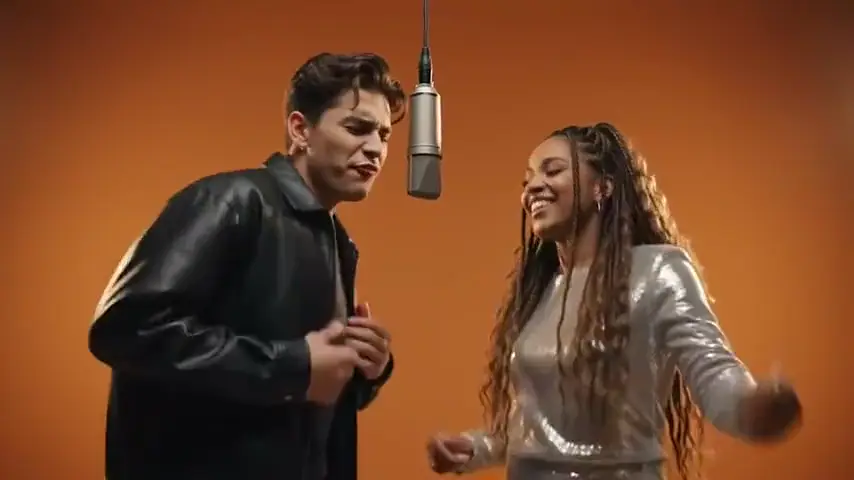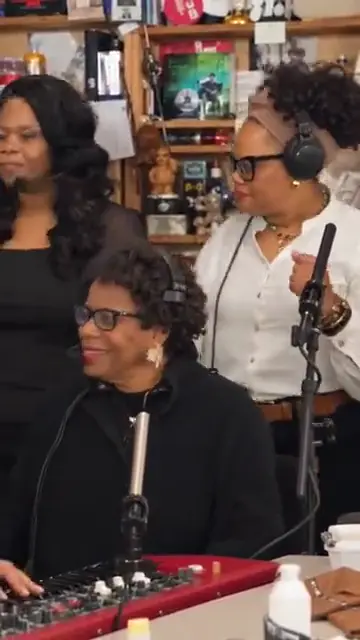
The band shot
Your lead singer at the red keyboard, headphones on, your backing singers right behind.
TikTok trend effect
Tiny Desk AI turns your photos into the TikTok band parody of Charlie Wilson’s Tiny Desk "Outstanding": one person laughs, one sings at the red keyboard, one plays the sax, two back them up. 15 seconds for 7 credits at 480p, 12 at 720p or 24 at 1080p.
Your photo
One clear photo per person, facing the camera and waist-up, or one photo of everyone. Up to five of you play the Tiny Desk set; the room and the song come with it.
Effect
Video
This video: 7 credits. Ready in about 5 to 15 minutes; failed generations return your credits. View pricing
Answer first
Updated : new page.
Tiny Desk AI is a TikTok trend of AI videos that drop new faces into a small office concert: a band packed in front of a bookshelf, a singer at a red keyboard, a laughing close-up and a sax solo, all to "Outstanding". It started on 18 October 2026 with a post that cast that week’s losing college football coaches as the band, 2.8 million plays by 28 October, and moved on to athletes, families and sitcom casts.
The joke comes from a real show: Charlie Wilson’s NPR Tiny Desk Concert, published on 5 June 2023, whose set ends with "Outstanding", a hit from his band The Gap Band. On this page you add one to five photos, or one photo of all of you. The video model follows the trend’s four shots second by second, gives each person one part, and the song is on the finished clip.
RapVideo.ai has no connection to NPR, Tiny Desk Concerts, Charlie Wilson, The Gap Band, TikTok or CapCut.
No. Many Tiny Desk AI tutorials on TikTok copy a template link into CapCut or Kling AI and swap one photo. Here you do it in the browser, with up to five people in their own parts, and the MP4 comes back with the song on it.

Three steps
Choose 1 to 5 people, then add a clear photo of each, waist-up and facing the camera, or switch to one group photo of all of you.
Effects → Tiny Desk → People
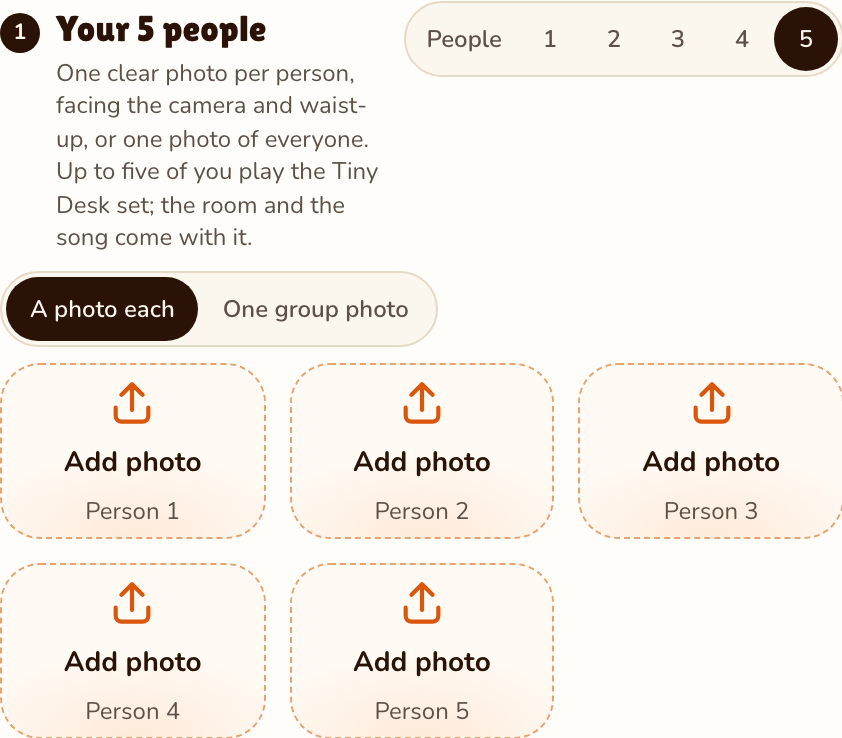
RapVideo editor · View full screenshot ↗
The editor opens on the Tiny Desk effect, 15 seconds in 9:16 on Wan 3.0. Pick 480p, 720p or 1080p; the band is the same.
Effects → Tiny Desk
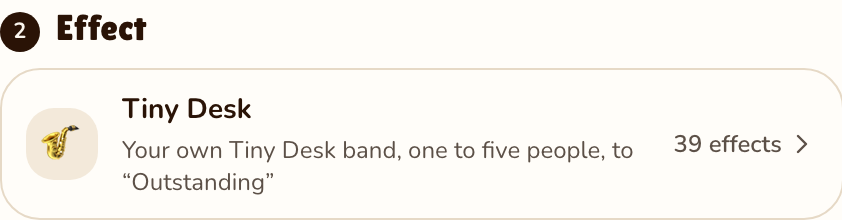
RapVideo editor · View full screenshot ↗
The video model estimates about 5 to 15 minutes. Save the MP4, song included, and post your Tiny Desk AI video.
After rendering
Inside the clip
Your lead singer at the red keyboard, headphones on, your backing singers right behind.
Photo 1 in close-up, laughing at the camera for six seconds: the part people replay.
One of you on the saxophone, lost in it, with the singer peeking into the corner.
"Outstanding" from the trend’s clip, on the finished MP4 from the first second to the last.
Every Tiny Desk AI video copies the same four shots from the trend's first post, and your 15 seconds do too:
| Seconds | Shot |
|---|---|
| 0 to 2.7 | The band, tight on a cluttered bookshelf: the lead singer at a red keyboard, two backing singers behind, everyone in headphones. |
| 2.7 to 9 | One person in close-up, glancing aside, then cracking up laughing at the camera. |
| 9 to 12.4 | The sax solo, eyes closed, the singer’s head in the corner of the frame. |
| 12.4 to 15 | Back to the band until the end, the backing singers waving along. |
Each photo plays one part, in the order you add them. Photo 1 is the laugh, the shot everyone remembers. A part nobody plays is left out and the bookshelf shows instead, so no stranger appears in your video.
| People | The laugh | Lead singer | Sax solo | Backing singers |
|---|---|---|---|---|
| 1 | Photo 1 | Photo 1 | Photo 1 | Nobody |
| 2 | Photo 1 | Photo 2 | Photo 1 | Nobody |
| 3 | Photo 1 | Photo 2 | Photo 3 | Nobody |
| 4 | Photo 1 | Photo 2 | Photo 3 | Photo 4 on the left |
| 5 | Photo 1 | Photo 2 | Photo 3 | Photos 4 and 5 |
With one group photo instead, the parts go from left to right in the photo. The price does not change with the band size: 15 seconds for 7 credits at 480p, 12 at 720p or 24 at 1080p.
| This clip | |
|---|---|
| Photos | One per person, 1 to 5, or one group photo of 2 to 5 |
| Price | 15 seconds for 7 credits at 480p, 12 at 720p or 24 at 1080p; 9:16 only, same price for every band size |
| Kept from your photos | Each person’s face, hair and outfit; everyone gets the band’s headphones |
| From the trend | The bookshelf office, the red keyboard, the four shots and their cuts |
| Sound | "Outstanding" as heard in the trend’s clip, 15 seconds, added to the finished clip |
| Tested | Not yet rendered by us: the clip at the top of this page is a family’s TikTok version of the trend |
Another group trend: Dame Hombro AI, the shoulder dance for up to three. More: Hotel Lobby AI for two, or all 39 AI video effects.
Showreel
Clips by other creators and tools, credited under each video, so you can see the format first.
AI videos that put new people into a spoof of Charlie Wilson’s NPR Tiny Desk performance of "Outstanding": a band at a red keyboard, a laughing close-up and a sax solo. It started on TikTok on 18 October 2026. RapVideo.ai makes a 15-second Tiny Desk AI video from your photos.
Pick your band size, add a photo of each person or one group photo, keep the Tiny Desk effect selected and press Make the effect. Download the MP4; the song is already on it.
One to 5. One person plays the laugh, the singer and the sax; with more, each photo takes its own part, and photos 4 and 5 are the backing singers.
Yes, for 2 to 5 people: each person is drawn separately from the photo, left to right, and takes the part of that place. Separate photos give sharper faces.
"Outstanding", the Gap Band song Charlie Wilson closed his 2023 NPR Tiny Desk Concert with. Your clip carries the part heard in the trend’s first post.
No. The real show is Charlie Wilson’s Tiny Desk Concert from June 2023; the trend videos, and yours, are AI-made remakes of a short part of it.
No. Everything happens in the browser: photos in, MP4 out, song included.
15 seconds for 7 credits at 480p, 12 at 720p or 24 at 1080p on Wan 3.0, always 15 seconds in 9:16, whether one or 5 people play. Packs start at 10 credits for $9.99, and a failed render gives its credits back.
No. The only free part of RapVideo is one 2-second watermarked preview per Google account, of the default Hotel Lobby video or the Bulin 47 Freestyle; everything else is paid with credits. A Tiny Desk clip is 15 seconds for 7 credits at 480p, 12 at 720p or 24 at 1080p.
Outstanding
15 seconds at the red keyboard, from 7 credits. Bring up to four friends.