Zero subscription lock-in
Test for free and only pay when you decide to render. No hidden monthly rebilling.
Free trial preview
Turn photos into a custom rap music video in under 2 minutes. Write a topic, upload your photos, and test face detection and lip-sync with a free 2-second video preview. No subscription required.
Your two performers
One person each. You both rap.
Stage
Sound
This video: 10 credits. Ready in about 5 to 15 minutes; failed generations return your credits. View pricing
Direct answer
Updated : Initial release of the free AI rap video generator landing page with free preview integration.
Yes. RapVideo.ai is the fastest free tool to test and generate AI rap videos from personal photos. It provides new users with a free 2-second video preview to test face animation, lip-sync and beat matching before committing any credits. Full-length music videos start at pay-as-you-go rates from $9.99 with no recurring monthly lock-in.
Most other tools either charge expensive recurring subscriptions ($15 to $30 per month) before you can see any output, or only produce still images with audio waveforms. RapVideo.ai renders real video motion with lip-synced rap performances across viral stages like the Hotel Lobby booth and Tiny Desk band.
Failed renders are automatically refunded, and purchased credits never expire.
Upload your photos and click preview. The AI detects the faces, aligns the eyes and mouths, and renders a 2-second sample video clip so you can confirm that your photos look natural before creating the full song.
TikTok filters only add stickers or basic face distorts. To get original rhyming lyrics, custom beat generation and dual-person lip-sync, you need a specialized video AI tool like RapVideo.ai.
Three steps
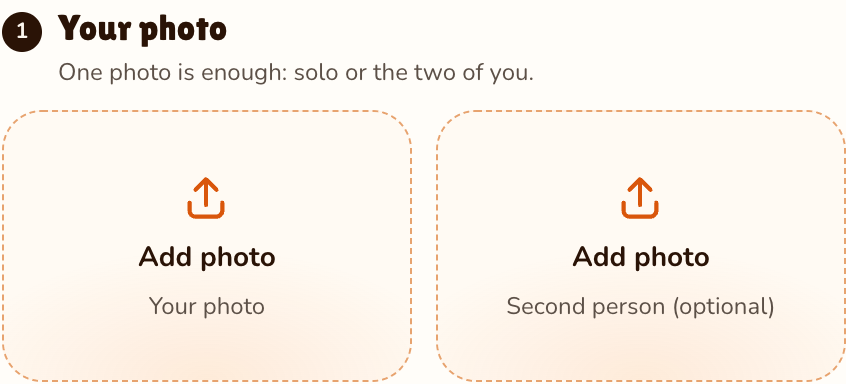
Upload two headshots or one group photo of you and a friend.
Effects → Photos
RapVideo editor · View full screenshot ↗
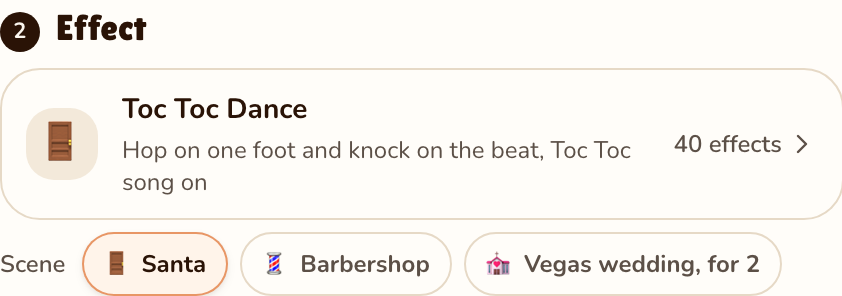
Describe your rap in one line (e.g., birthday celebration, gaming roast, work party).
Effects → Toc Toc Dance
RapVideo editor · View full screenshot ↗
Watch the free 2-second preview clip, then render the full song and download your MP4.
After rendering
What you get
Test for free and only pay when you decide to render. No hidden monthly rebilling.
Put two people into one video trading bars back and forth over a rap beat.
Full HD music videos finish rendering in a median of 8 minutes, with preview clips in under 60 seconds.
Download clean video files with beat and audio embedded, ready for TikTok, Instagram or YouTube.
| Feature | Free 2-Second Preview | Full MP4 Render |
|---|---|---|
| Cost | Free ($0.00) | 10 credits ($9.99 pack) |
| Duration | 2 seconds | 12 seconds (Full verse) |
| Face Detection Test | Included | Included |
| Lip-Sync Verification | Included | Included |
| Custom AI Lyrics & Beat | Sample beat | Original AI written lyrics & audio |
| Watermarks | None | None (Clean MP4) |
Showreel
Clips by other creators and tools, credited under each video, so you can see the format first.
Yes. You can test your photos and preview the lip-sync animation with a free 2-second video preview before paying for full renders.
Yes. RapVideo.ai works directly in Safari, Chrome and mobile browsers with no app download required.
Yes. On the Hotel Lobby stage you can upload your own audio track or MP3, and the AI will animate your photos to rap your exact recorded track.
No. RapVideo.ai does not place watermarks on your downloaded videos.
Get started
Upload your photos and test your first free video preview in seconds.