How to Make a Rap Video on iPhone, With or Without AI
There are two ways to make a rap video on an iPhone. You can film it: play your track out loud, record several lip-sync takes with the back camera, and cut them together in iMovie or CapCut. Or you can let AI make it: upload a photo of you and one of a friend in Safari, and an AI model turns them into a video of the two of you rapping.
Updated
On iPhone
A rap video on iPhone
Film it, or two photos.
- Safari
- No app
- Save to Photos
The AI route needs no app. RapVideo.ai runs in Safari on iPhone, takes photos straight from your library, JPG, PNG, WebP or HEIC included, and gives you an MP4 you can save to Photos. A 12-second video on Wan 3.0 at 480p costs 6 credits.
Make an AI rap video on iPhone in Safari
- Open rapvideo.ai in Safari and sign in with Google.
- Tap the photo slots and pick a photo of you and one of a friend from your library, or one photo of you both. Faces toward the camera.
- Open Video settings and pick 9:16 for TikTok, Reels or Shorts.
- Choose the sound: the Hotel Lobby track, your own song (MP3, WAV, M4A, AAC or OGG), or an AI rap about a topic you type.
- Tap Create. You can lock the phone; the video waits in My videos.
- Tap Download MP4. Safari saves it to the Downloads folder in the Files app.
- In Files, open the video, tap the Share button and choose Save Video to put it in Photos.
Apple explains where Safari downloads go in Find downloads on iPhone. RapVideo gives each new account one free 2-second watermarked preview of its default Hotel Lobby video or the Bulin 47 Freestyle. More on the default video in how to do the Hotel Lobby trend.
Works in Safari
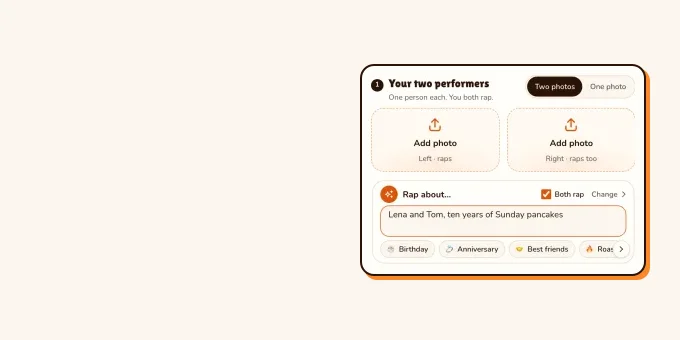
Make a rap video on your iPhone
Pick two photos from your library, or one of you both. 12 seconds on Wan 3.0 for 6 credits.
Your two performers
One person each. Left raps, right hypes.
Stage
Video & sound
First a free 2-second preview, one per account. The full 12-second video is 6 credits at 480p. View pricing
Film a rap video on your iPhone
- Set the camera. In Video mode, the toggles at the top of the screen switch resolution and frame rate; Apple lists the options in Change video recording settings. 4K or HD at 24 or 30 fps is plenty.
- Use the back camera, clean the lens, and put the phone on something steady at chest height.
- Play the track out loud from a second phone or speaker and rap along, the whole song, three to five times. Change the spot or the angle between takes.
- Shoot extra bits with no lip sync: walking, the crew, your hands, the street.
- Edit in iMovie or CapCut: lay the clean audio file under everything, line each take up to it, and cut on the beat.
These two rappers shoot on iPhones only. The first shows his settings for performance shots; the second says the editing matters more than the camera.
- TikTokRecording a music video with just an iPhone@vcyessir
- TikTokArtist content on iPhone: focus on the edit@makkmadeit
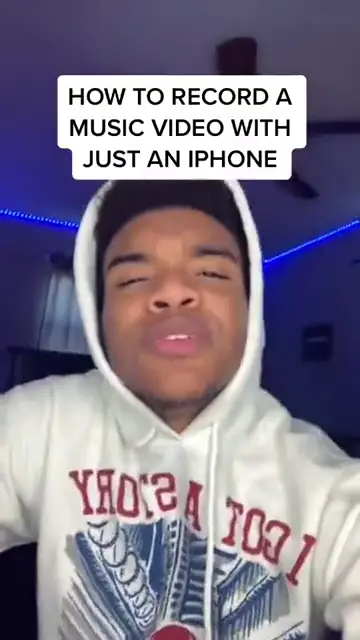
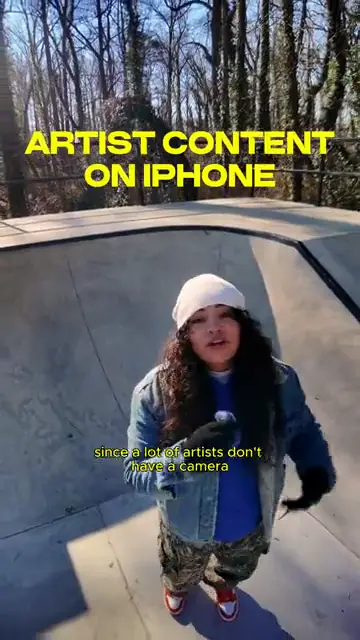
From TikTok, credited to the creators. Hover over a clip (or tap it) to play; tap a name to see the post.
Which way to pick
| Film it yourself | AI from photos | |
|---|---|---|
| You need | The song, a place, people willing to be on camera | One photo of each person, or one of you both |
| Time | An afternoon to shoot and edit | About 10 minutes for one clip |
| Length | The whole song | 5, 8, 10, 12 or 15 seconds a clip |
| Cost | Free with the iPhone and a free editor | From 6 credits for 12 seconds |
| Best for | Your own music, a real performance | A joke, a gift, a trend, friends who live far apart |
The two mix well: film your verse, then add an AI clip of you and a friend for the hook. For longer AI parts, see how to make AI videos longer.
FAQ
How do I make a rap video on my iPhone?
Film several lip-sync takes with the back camera while the track plays, then cut them to the audio in iMovie or CapCut. Or make an AI rap video from two photos in Safari.
Do I need an app to make an AI rap video on iPhone?
No. RapVideo.ai runs in Safari. You pick photos from your library and download the MP4.
Where does the downloaded video go on iPhone?
Safari puts it in the Downloads folder in the Files app. Open it there, tap Share and choose Save Video to move it to Photos.
Can I use HEIC photos from my iPhone?
Yes in Safari. The editor takes JPG, PNG, WebP or HEIC and converts each photo before upload.
What frame rate should I film a rap video at?
24 or 30 fps works for performance shots. Keep one frame rate for the whole video so the cuts match.
Sources
Read next
How to Make an AI Rap Video: Photos to MP4 in 6 Steps
The six steps from two photos to a finished AI rap video MP4, with prices, render times and fixes for a refused photo or a failed render.
Best Photos for AI Rap Videos: What Works, What Fails
What makes a photo work or fail in the rap video generator, from the hard limits to light, angle, framing, sunglasses and group shots, with a fix for each.
RapVideo is an independent tool, not affiliated with Quavo, Takeoff, Migos, Quality Control Music, Motown or COLORS.