How to Do the Burning Bridges Trend With AI (3 Ways)
To do the Burning Bridges trend, you need one clear photo of yourself and a tool that copies the chandelier party scene from Drake’s video: the silver cup, the point at the guests, the hand held over the eyes like a visor, and the wave. On RapVideo that is three taps: add the photo, keep Burning Bridges Party selected, and make the effect. You get a 15-second vertical MP4 with the song already on it, for 7 credits at 480p.
Updated
Drake party trend
Burning Bridges, 3 ways
One photo is the fastest.
- One photo
- Template
- Prompt
The other two routes people use on TikTok are a CapCut template and a prompt typed into an AI video model. Both work for some people; both take more fiddling. Below is each route, what the trend actually copies, and how to post it.
The fastest way: one photo, three taps
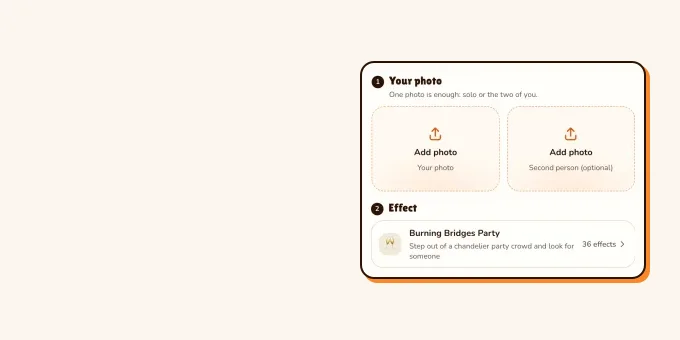
- Pick one sharp, front-facing photo of one person, waist up if you have it. The clip shows your hands and collar, and the hand over the eyes passes in front of your face, so a clear face matters most.
- Add it in the editor below. Burning Bridges Party is already selected: 15 seconds, 9:16, on Wan 3.0.
- Make the effect. The video model estimates about 5 to 15 minutes; the price shows on the button before you start, and a failed render gives its credits back.
- Download the MP4. Drake’s Burning Bridges is on it, lined up with the moves, so it is ready to post.
Price: 15 seconds for 7 credits at 480p or 12 at 720p. This effect has no free preview. The only free part of RapVideo is one 2-second watermarked preview per Google account, of the default Hotel Lobby video or the Bulin 47 Freestyle; everything else is paid with credits. More about the effect is on the Burning Bridges AI page.
One photo
Make your Burning Bridges clip
Add one clear photo; Burning Bridges Party is already selected. 15 seconds for 7 credits at 480p or 12 at 720p, song on the clip.
Your photo
One clear photo of you, facing the camera. You take the moves of the party scene; the room, the guests and the song come with it.
Effect
Video
This video: 7 credits. Ready in about 5 to 15 minutes; failed generations return your credits. View pricing
What the trend copies, second by second
Burning Bridges is a 2026 Drake song from the album Iceman. The trend uses one short stretch of its video: a crowded, wood-panelled room under crystal chandeliers, with the man in the middle walking toward the camera. In order, he raises a silver cup, points at a few guests, spreads his arms, straightens his collar, holds one flat hand over his eyes and scans the room as if looking for someone, then waves. The visor look is the part people quote with the line "where she at?".
People recast that man with anyone: a dog, a cartoon, a horror villain. These AI versions went around on TikTok in October 2026; hover over one (or tap it) to play.
- TikTokPennywise gathers his Halloween crew@officialblackleprechaun
- TikTokShrek after burning every bridge@danielbennett428
- TikTokA Rottweiler looks for her@weezy_m
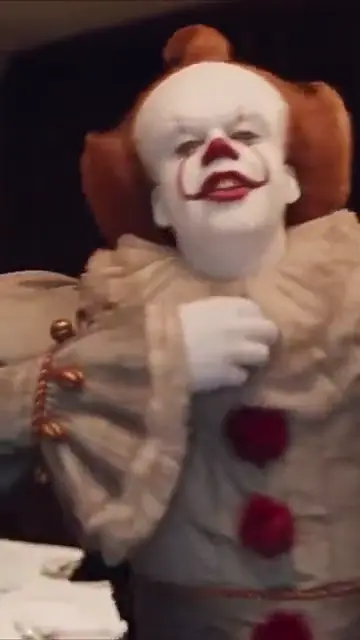
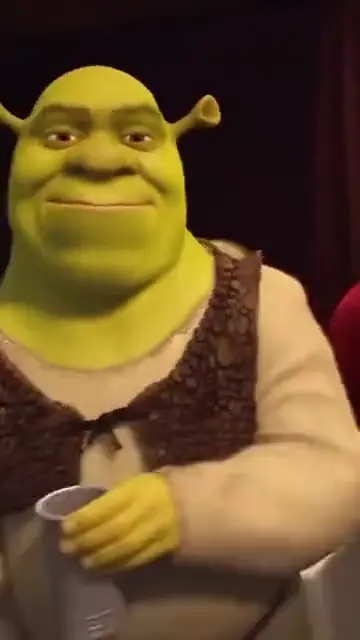
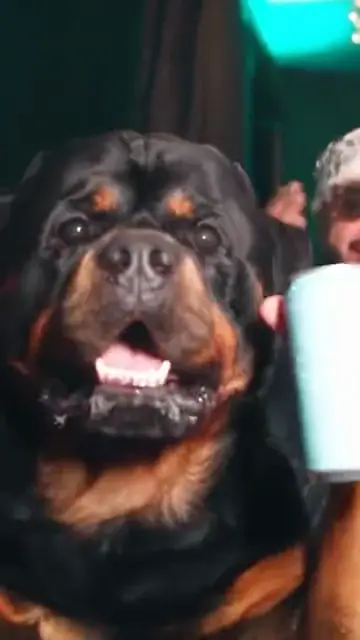
From TikTok, credited to the creators. Hover over a clip (or tap it) to play; tap a name to see the post.
Three ways to make it, compared
| Route | What you add | What you get | Catch |
|---|---|---|---|
| RapVideo effect | One photo | 15 s, 9:16, moves and camera of the scene, song on the clip | 7 credits at 480p; one person per clip |
| CapCut template | A photo, then the template’s steps | Whatever that template was built to do | Templates come and go, and many are re-uploads; check what it actually renders |
| Prompt in a video model | A photo and a long prompt | A new party scene in the model’s own style | Moves rarely match the video; expect retries, each one paid |
TikTok tutorials for the trend show the second and third routes: one searches CapCut for a Burning Bridges template and uploads a photo, another pastes a prompt into an AI video app. We have not tested those templates or prompts. A prompt only describes the moves in words, so the timing of the cup, the point and the visor depends on how the model reads them. Our effect follows a live-action take of the scene instead, for every move and every shake of the camera, and the model hears the song while it renders, so your mouth moves with Burning Bridges. None of the music video’s footage is in your clip.
Photo tips that decide the result
- Front-facing, eyes visible, no sunglasses. The hand crosses your eyes, and a face the model can read holds up better through it.
- One person in the photo. The clip recasts one man; a second face has nowhere to go. For a friend, make one each and post them side by side.
- Wear what you want to be seen in. The clip keeps the outfit from your photo, and a waist-up or full-length shot shows the model more of it.
- Use your own photo, or a friend’s with a yes. Famous faces are not what this is for.
More on what makes a good photo is in best photos for AI rap videos.
Posting it on TikTok
Turn on TikTok’s AI-generated content label before you post: TikTok asks creators to label realistic AI videos of people, and the label cannot be removed afterwards. The steps and the rest of the rules are in does TikTok allow AI videos?. The song is already on the MP4; if you would rather use the trend sound from TikTok’s own library, how to do the AI trend on TikTok shows where to pick it.
FAQ
What is the Burning Bridges trend?
An AI video trend from October 2026: people put themselves, their pets or cartoon characters into the chandelier party scene from the video for Drake’s Burning Bridges, with the silver cup and the hand over the eyes as if looking for someone.
How do I do the Burning Bridges trend with one photo?
Add one clear, front-facing photo on RapVideo, keep Burning Bridges Party selected and make the effect. The 15-second MP4 comes with the song on it.
How much does the Burning Bridges AI video cost?
15 seconds for 7 credits at 480p or 12 at 720p on RapVideo. The smallest pack is 10 credits for $9.99, and a failed render gives its credits back.
Do I need CapCut for the Burning Bridges trend?
No. CapCut templates are one route; RapVideo works in the phone’s browser from one photo, with no template, prompt or editing.
Can two people be in one Burning Bridges video?
Not on RapVideo: the scene recasts the one man in the middle. Make one clip each and post them side by side.
Is Drake’s song on the video?
Yes, the same 15 seconds of Burning Bridges as the scene, so the moves land on the beat. RapVideo is not connected to Drake or his label.
Sources
Read next
Where She At Meme: Drake’s Burning Bridges Gesture
"Where she at?" explained: the line from the chorus of Drake’s Burning Bridges (Iceman, 2026), read as a jab at A$AP Rocky about Rihanna; the hand over the eyes from the video; Drake and Cristiano Ronaldo doing it at the 2026 World Cup; the merch; and the AI trend.
Burning Bridges Meaning: What Drake’s Song Is About
What Drake’s "Burning Bridges" (Iceman, May 15, 2026) is about: a diss aimed at A$AP Rocky with a jab about Rihanna, what the title idiom means, how Rocky answered, and the Theo Skudra video at Sotto Sotto in Toronto that the AI trend copies. No lyrics reprinted.
Does TikTok Allow AI Videos? Labels and Rules for 2026
TikTok allows AI videos but requires a label on realistic AI people and scenes: the label steps on phone and computer, what stays banned (private people without consent, misleading public figures), auto labels, and reach.
Best Photos for AI Rap Videos: What Works, What Fails
What makes a photo work or fail in the rap video generator, from the hard limits to light, angle, framing, sunglasses and group shots, with a fix for each.
RapVideo is an independent tool, not affiliated with Quavo, Takeoff, Migos, Quality Control Music, Motown or COLORS.